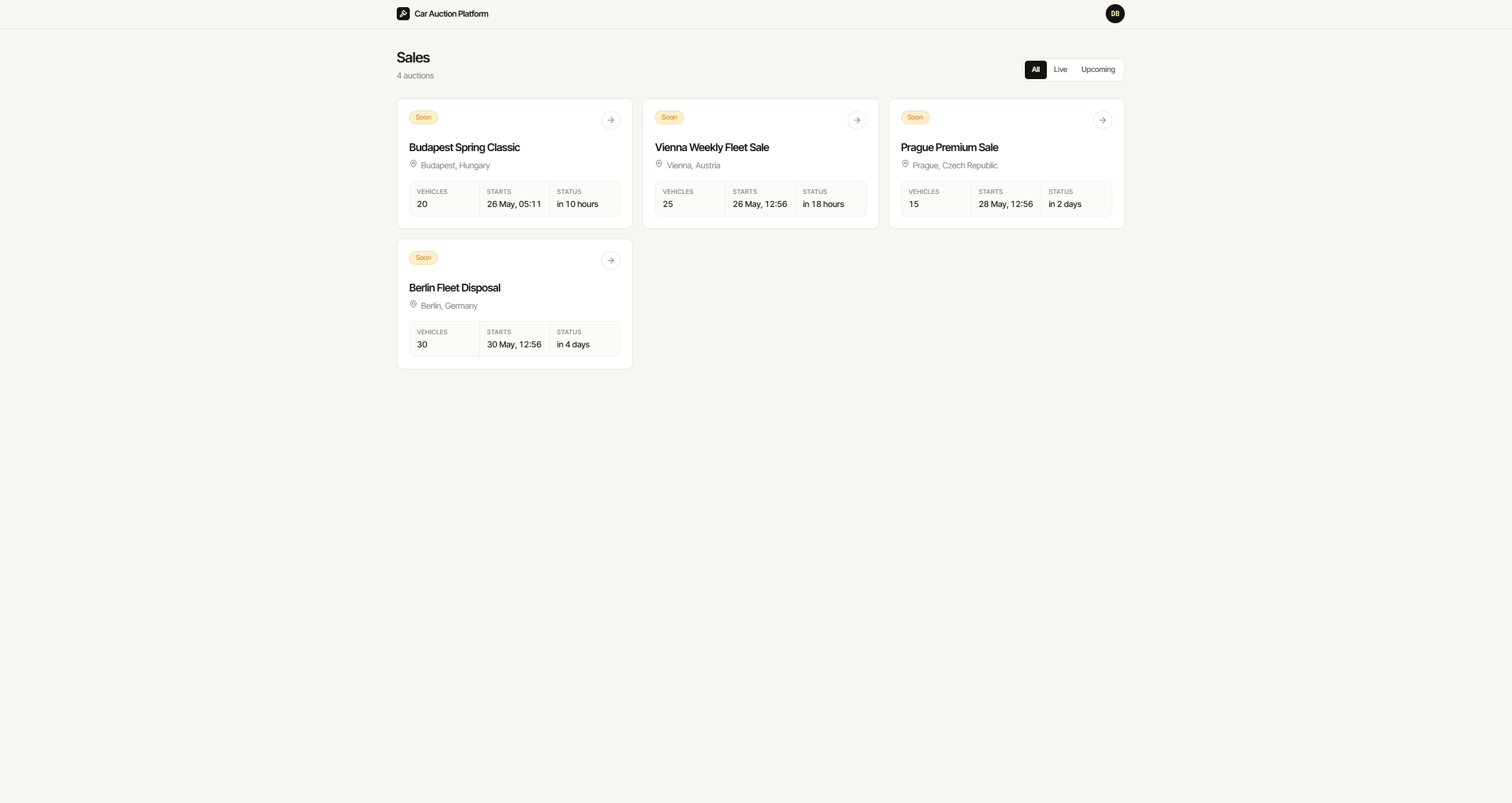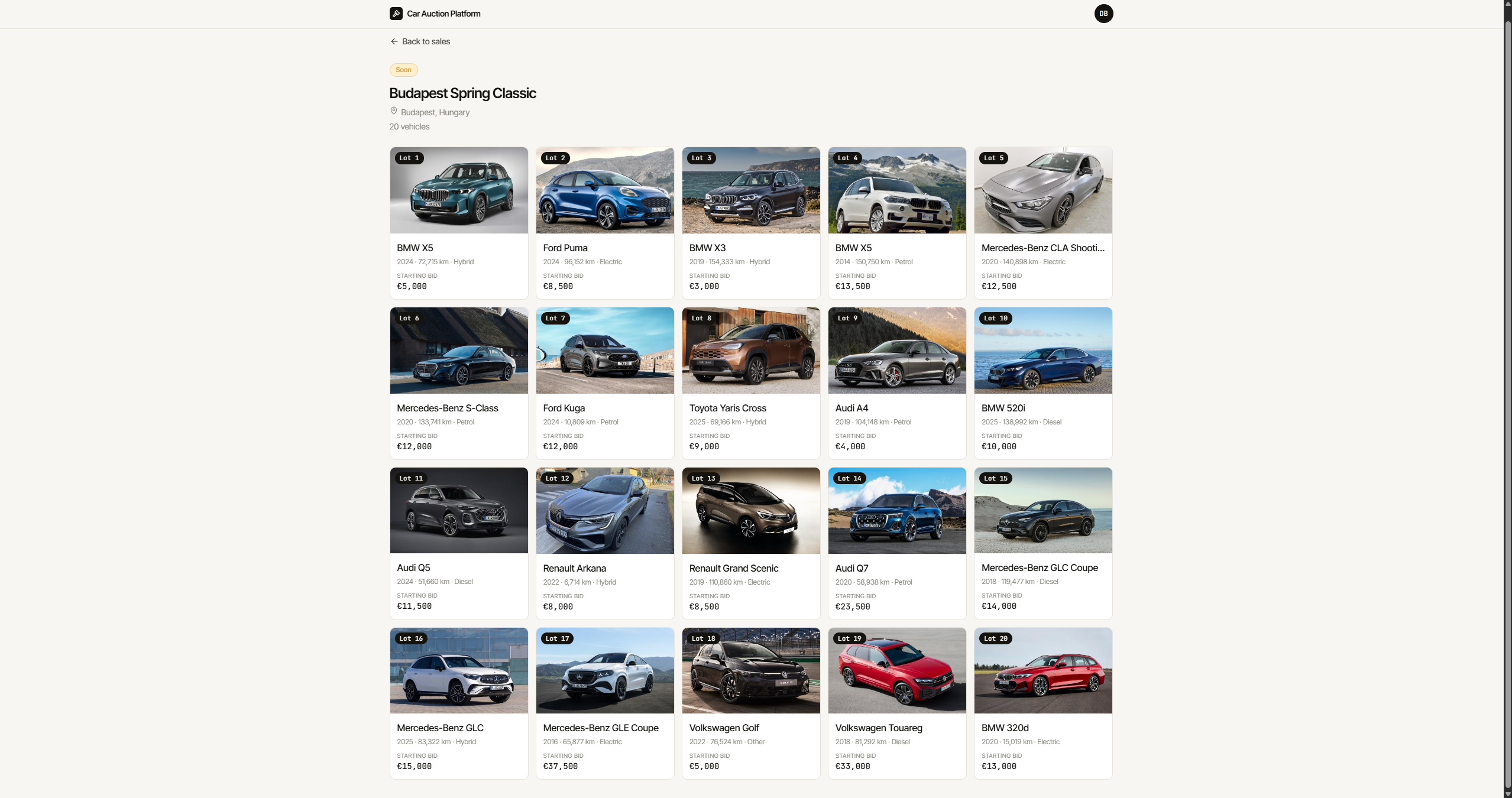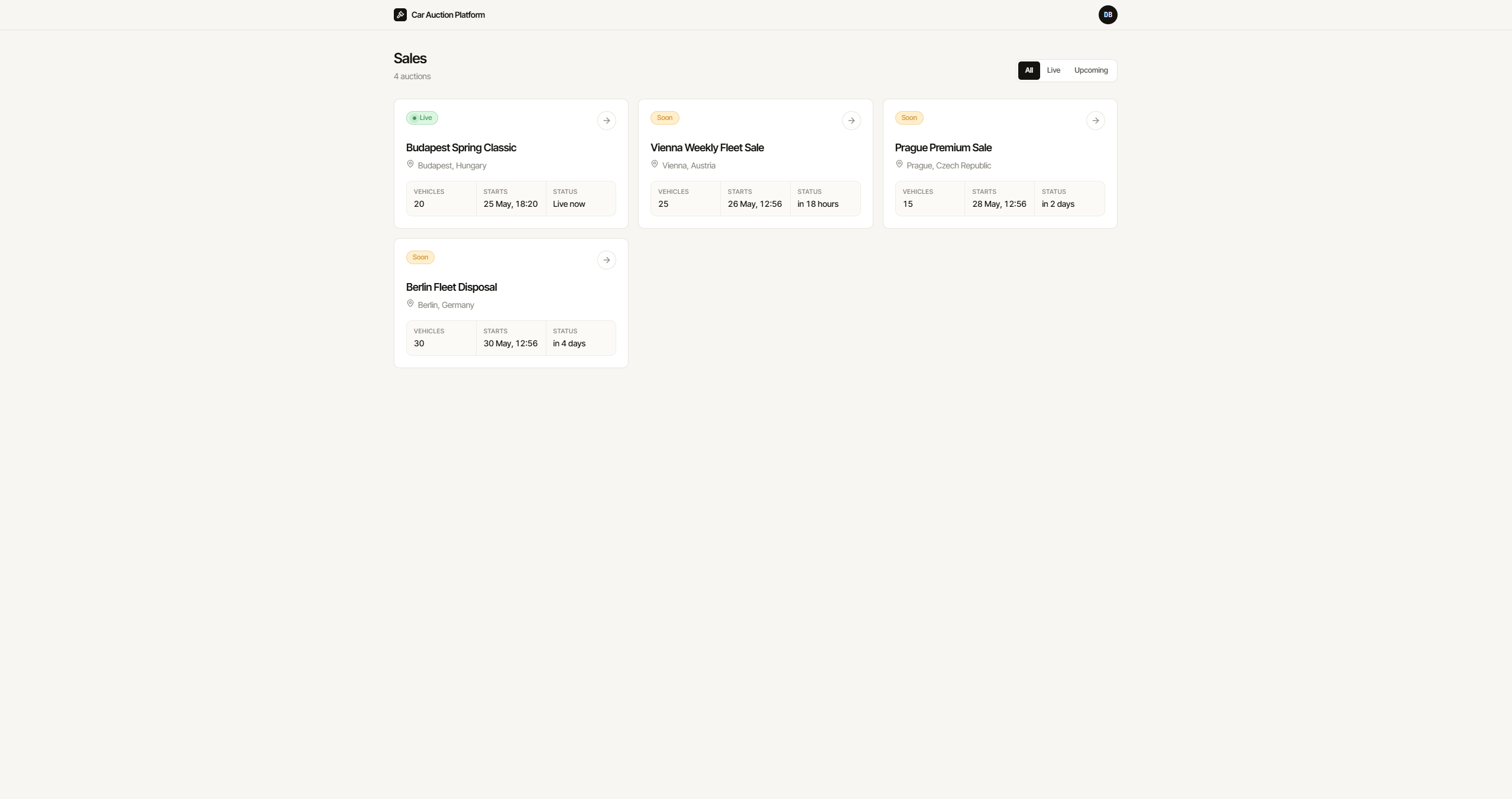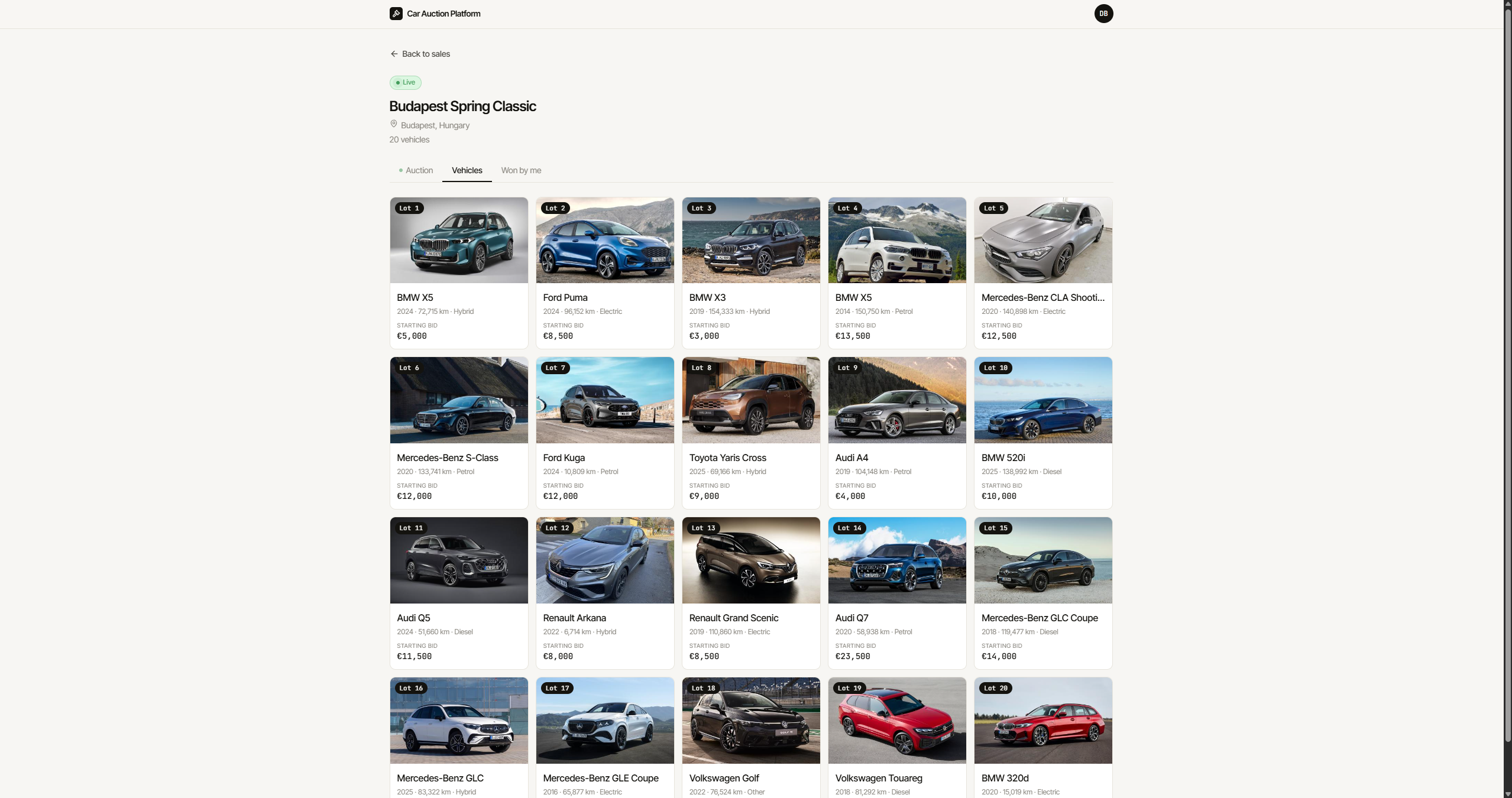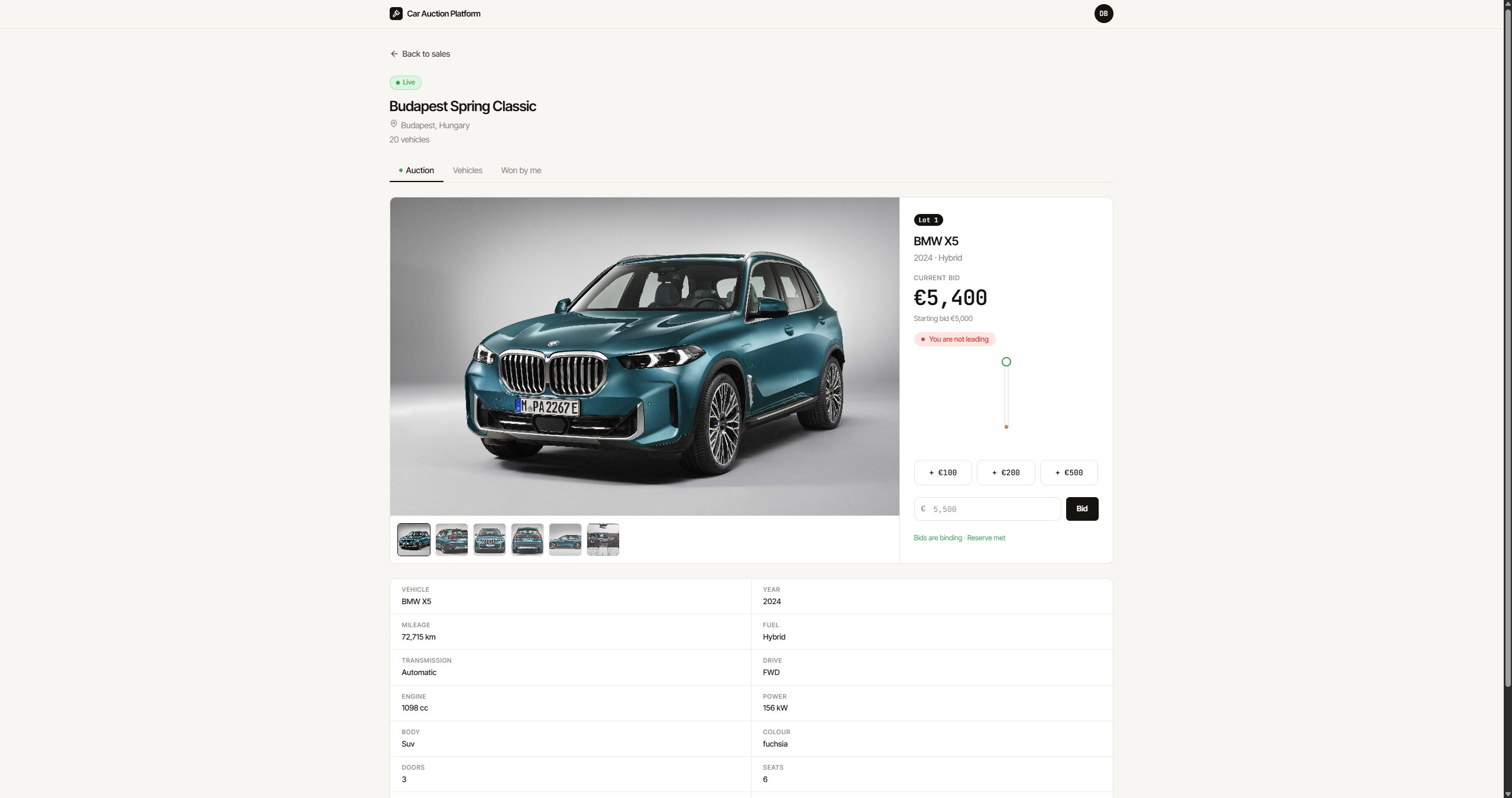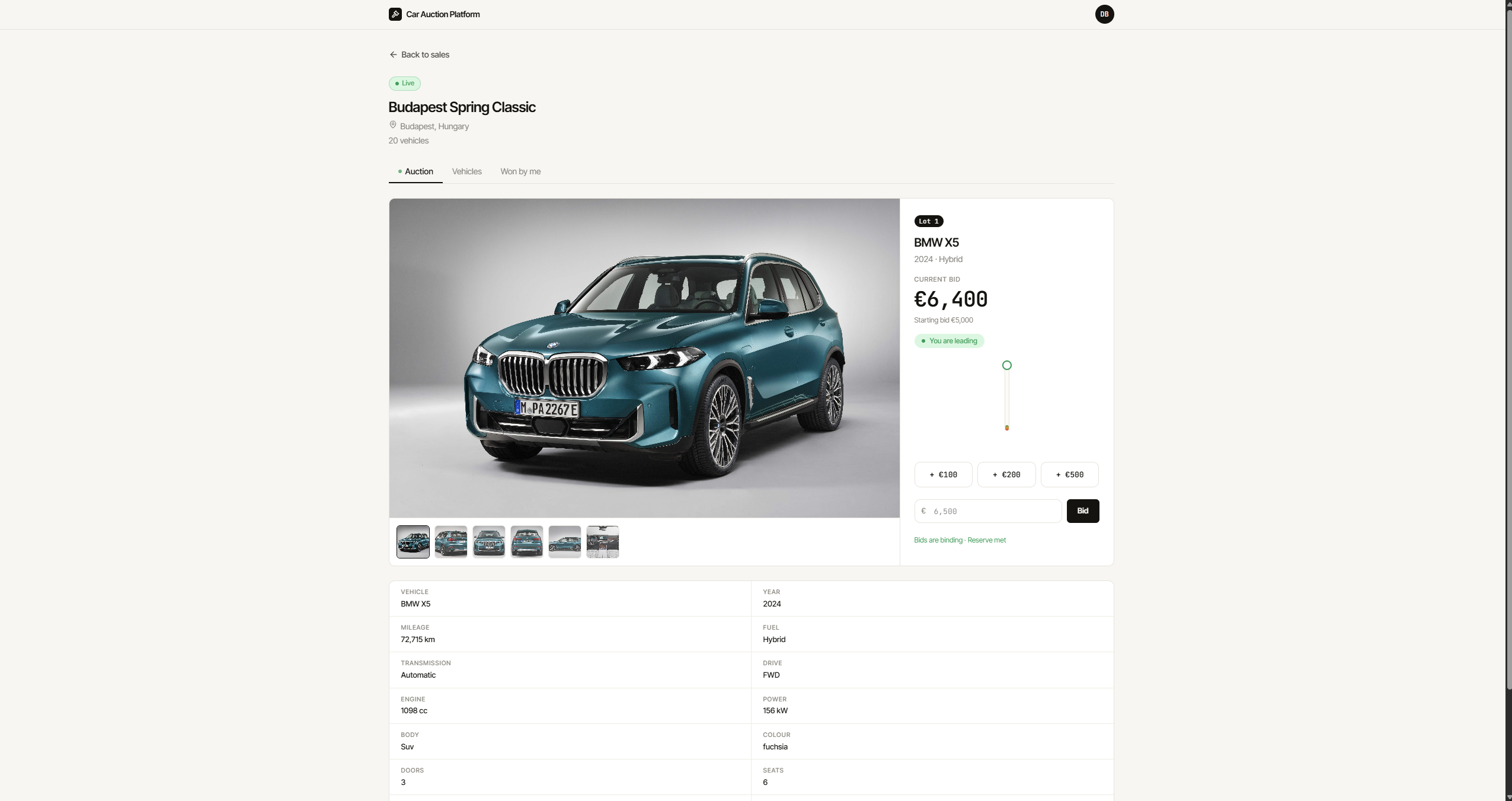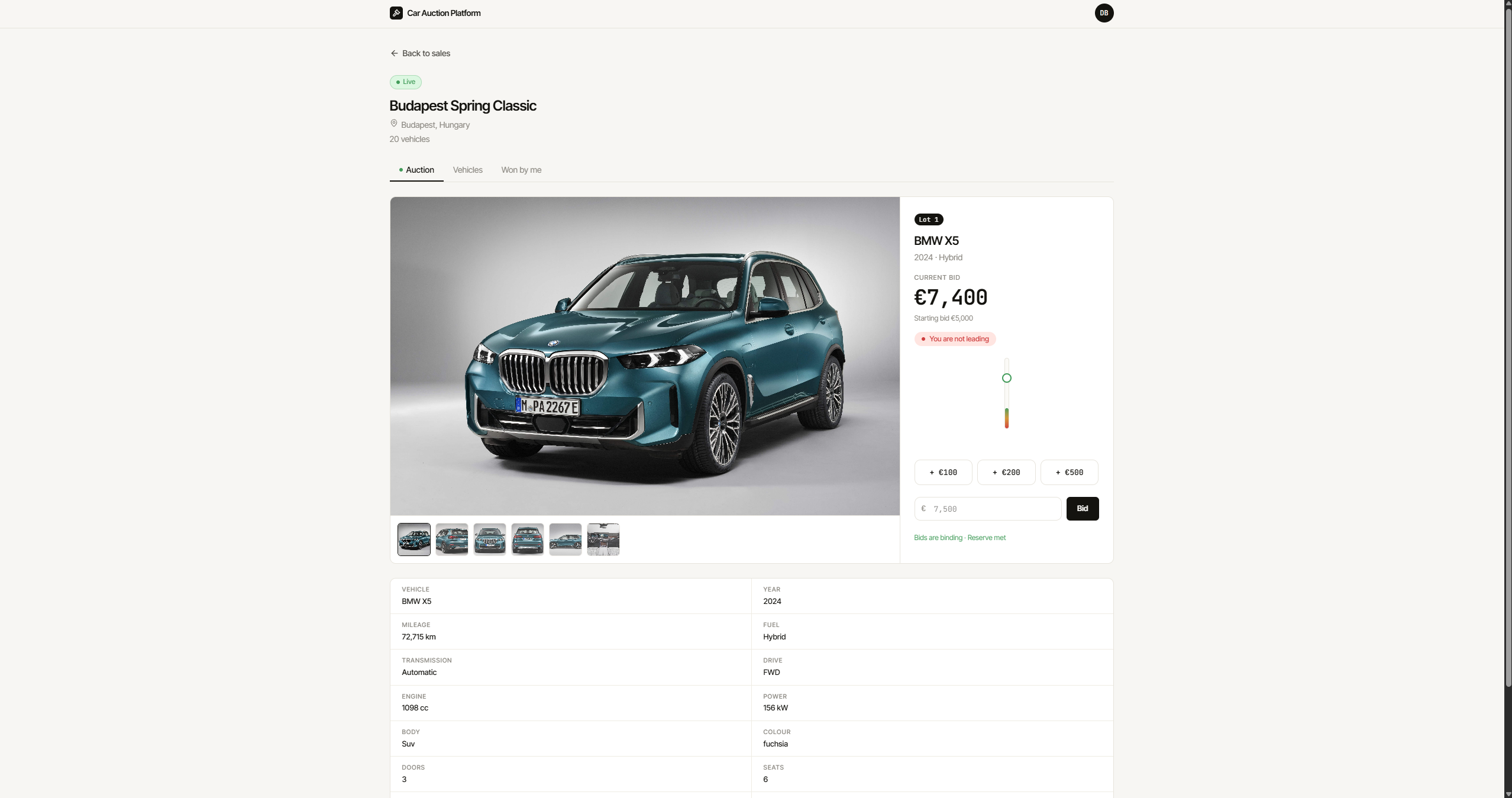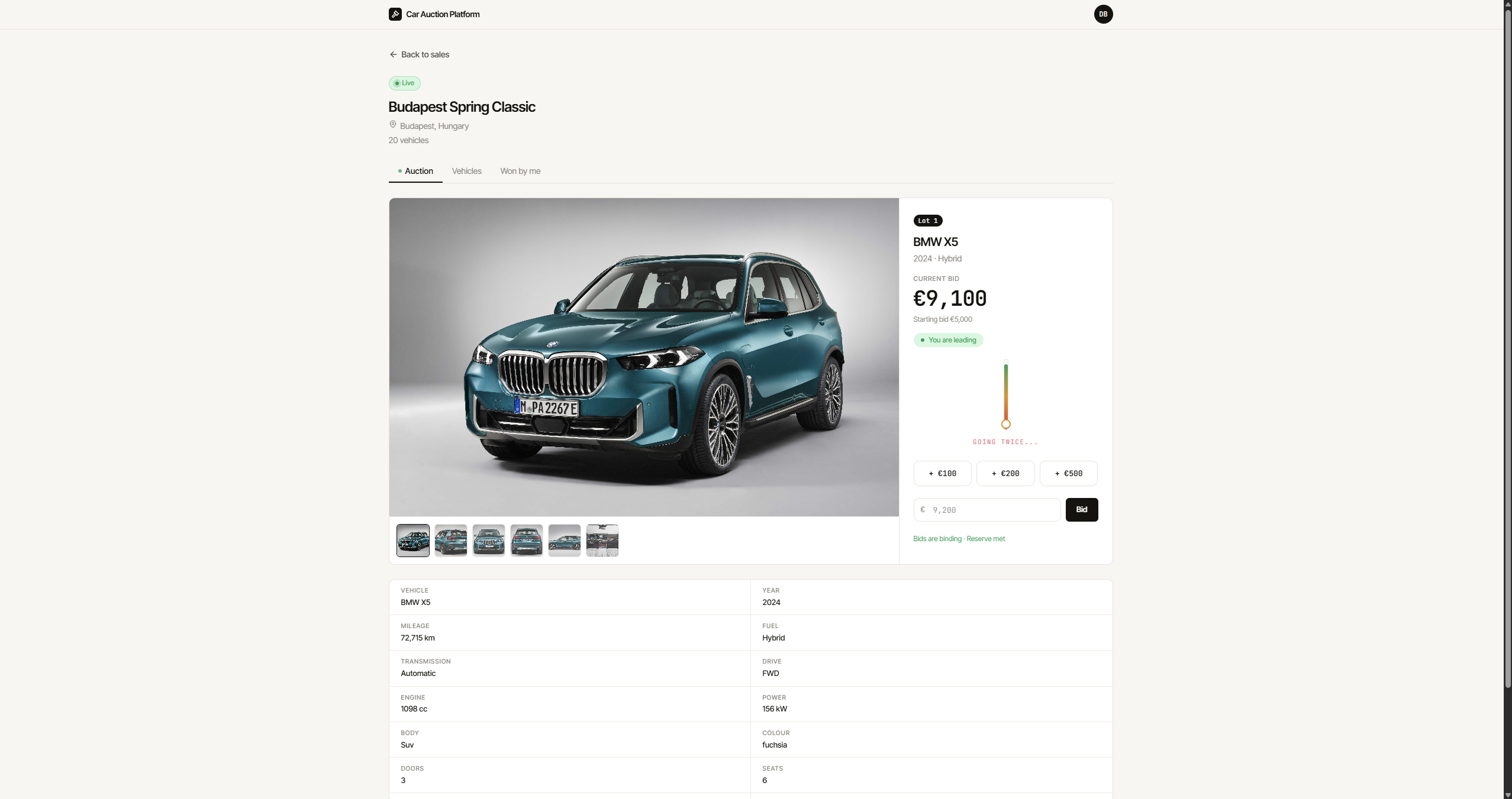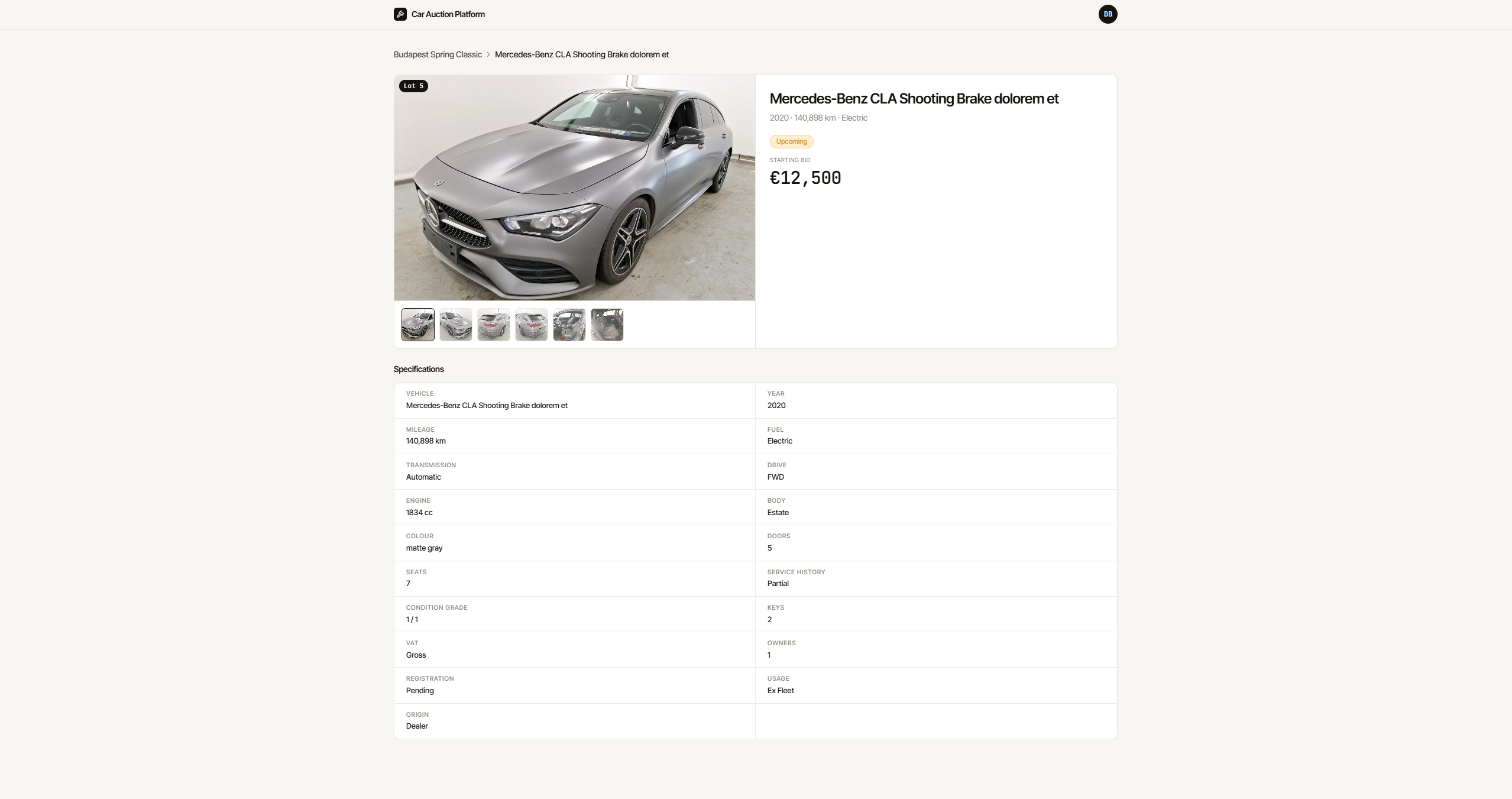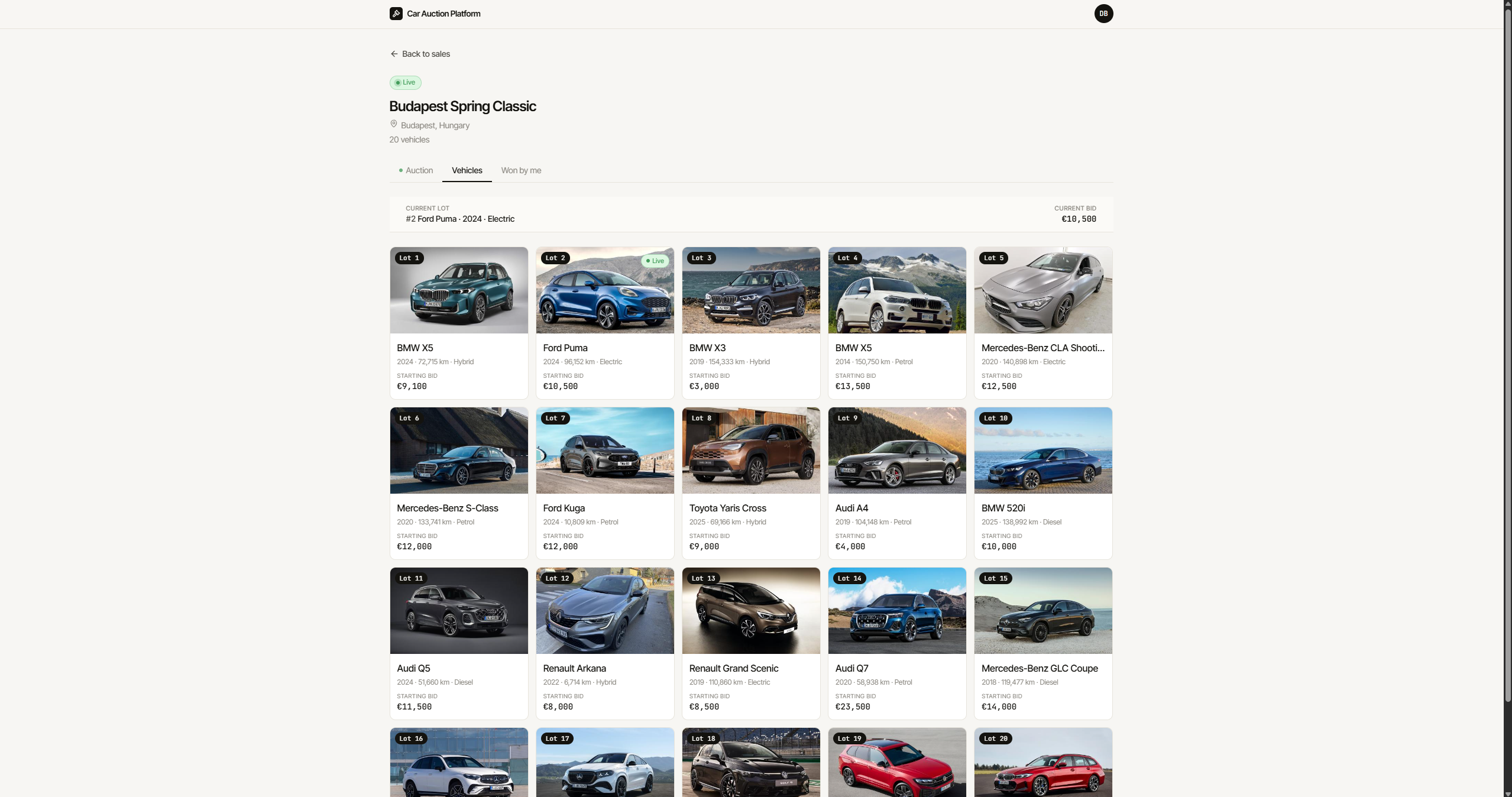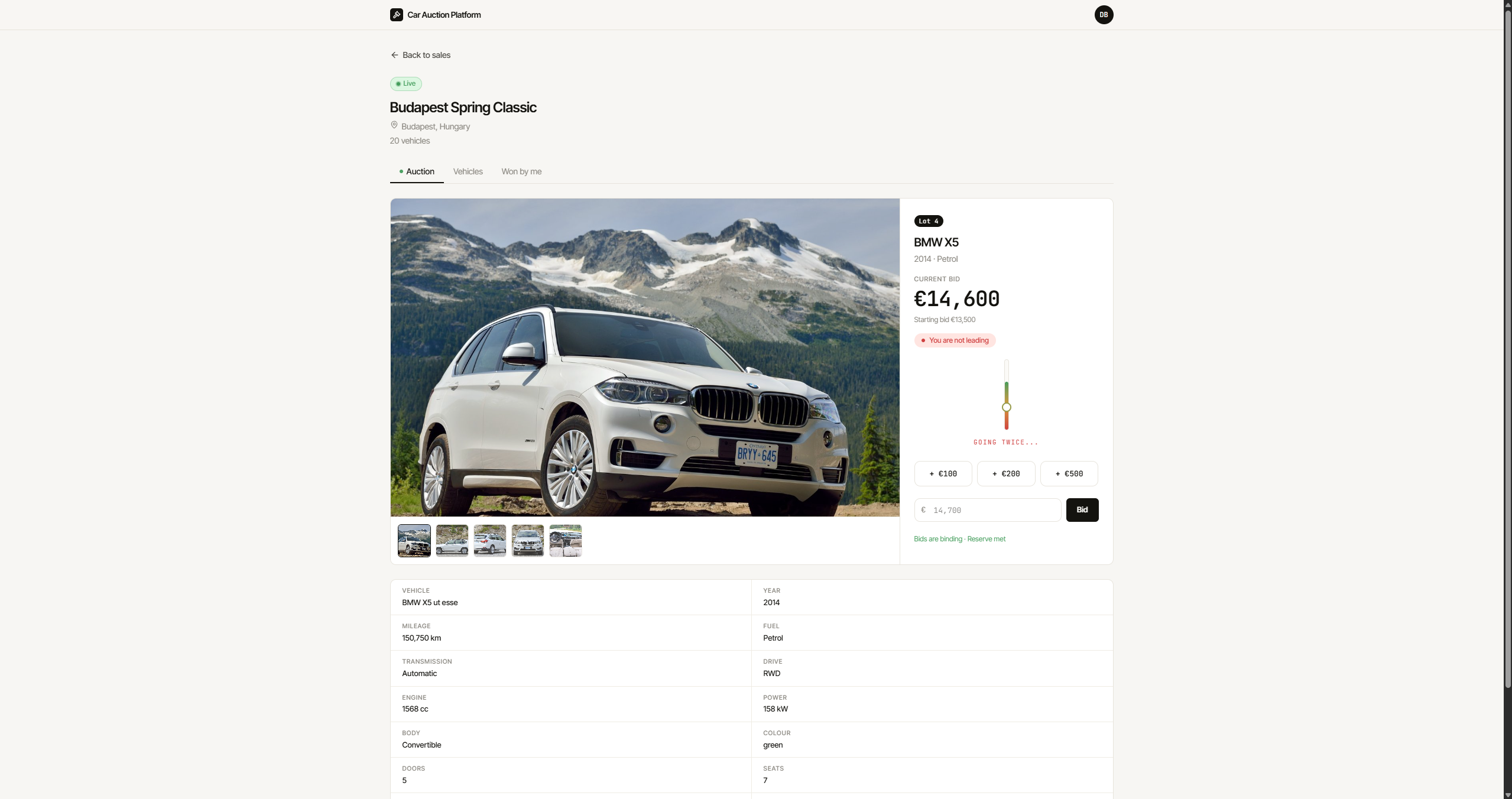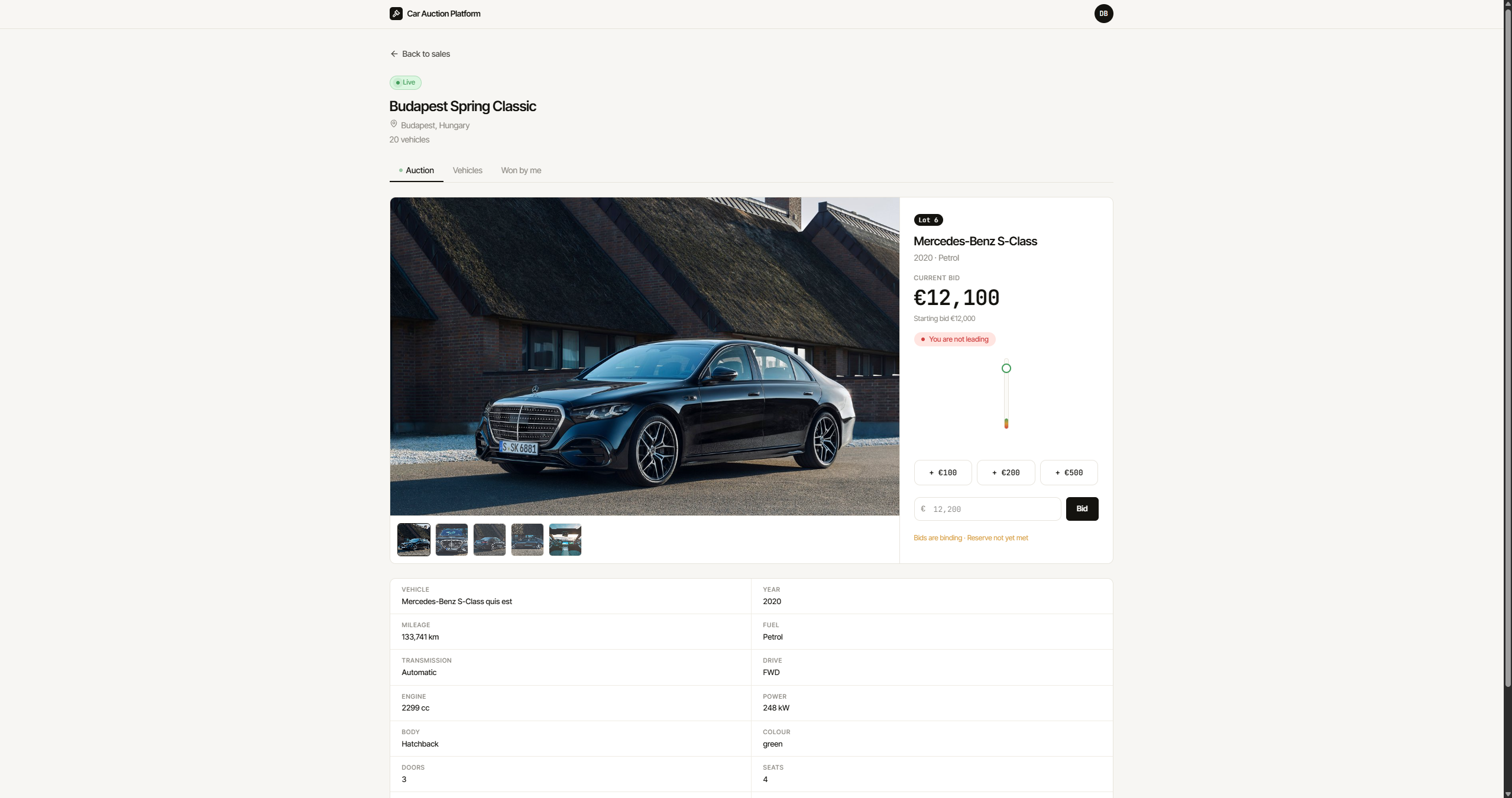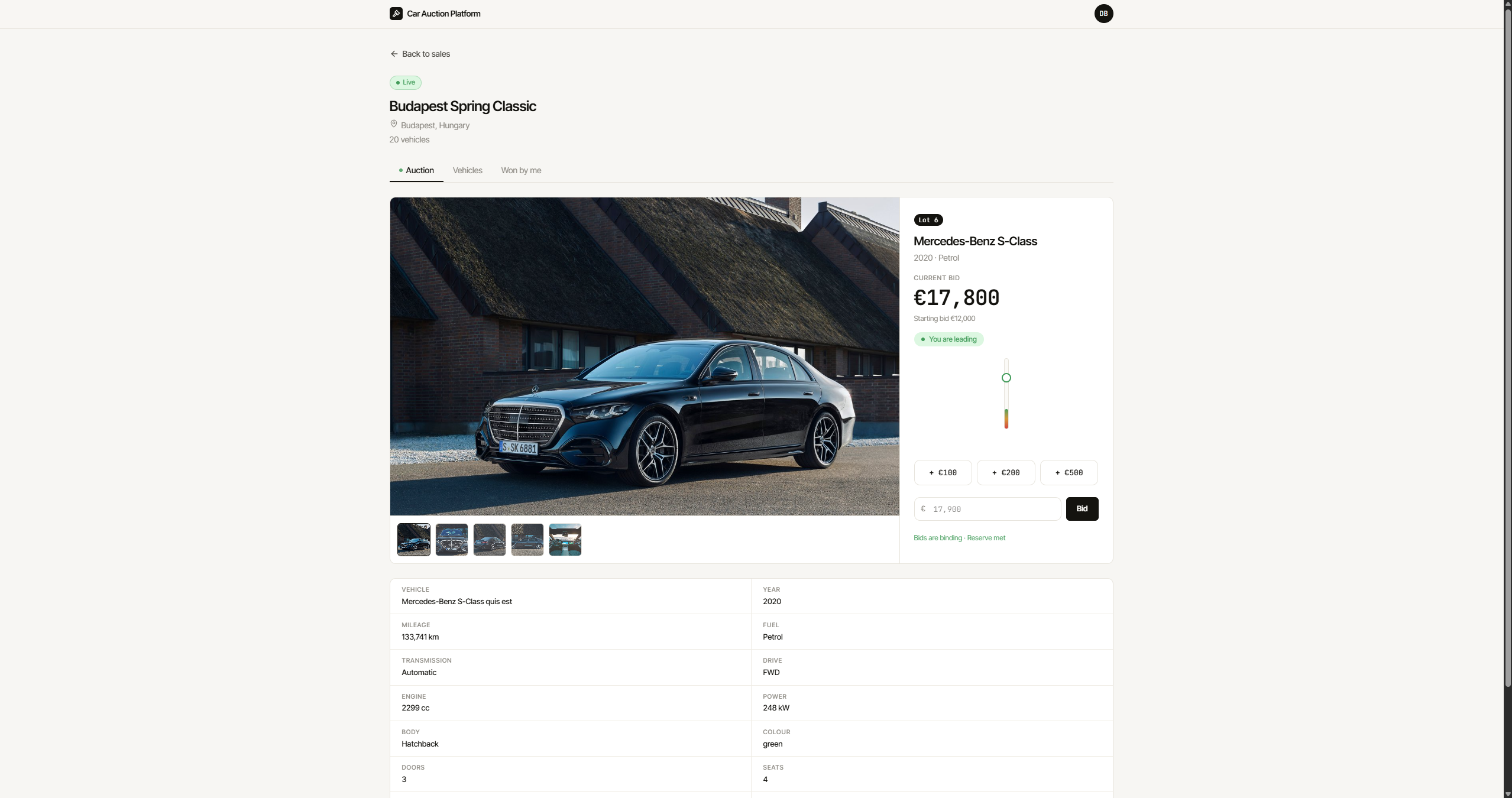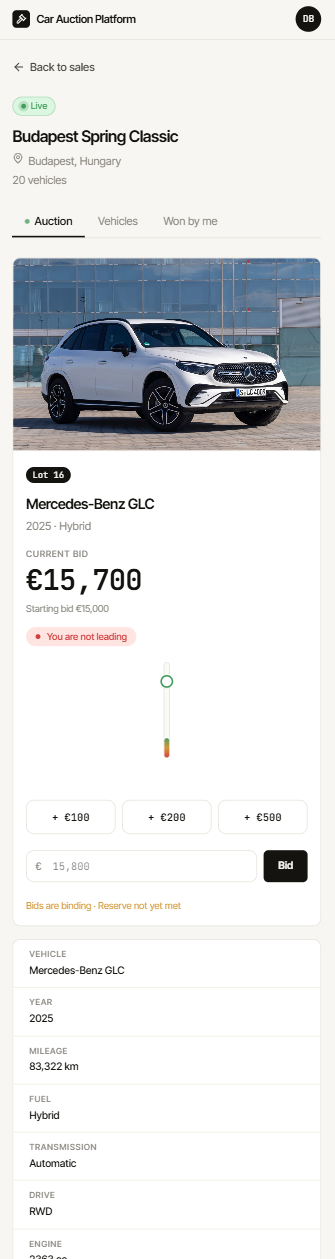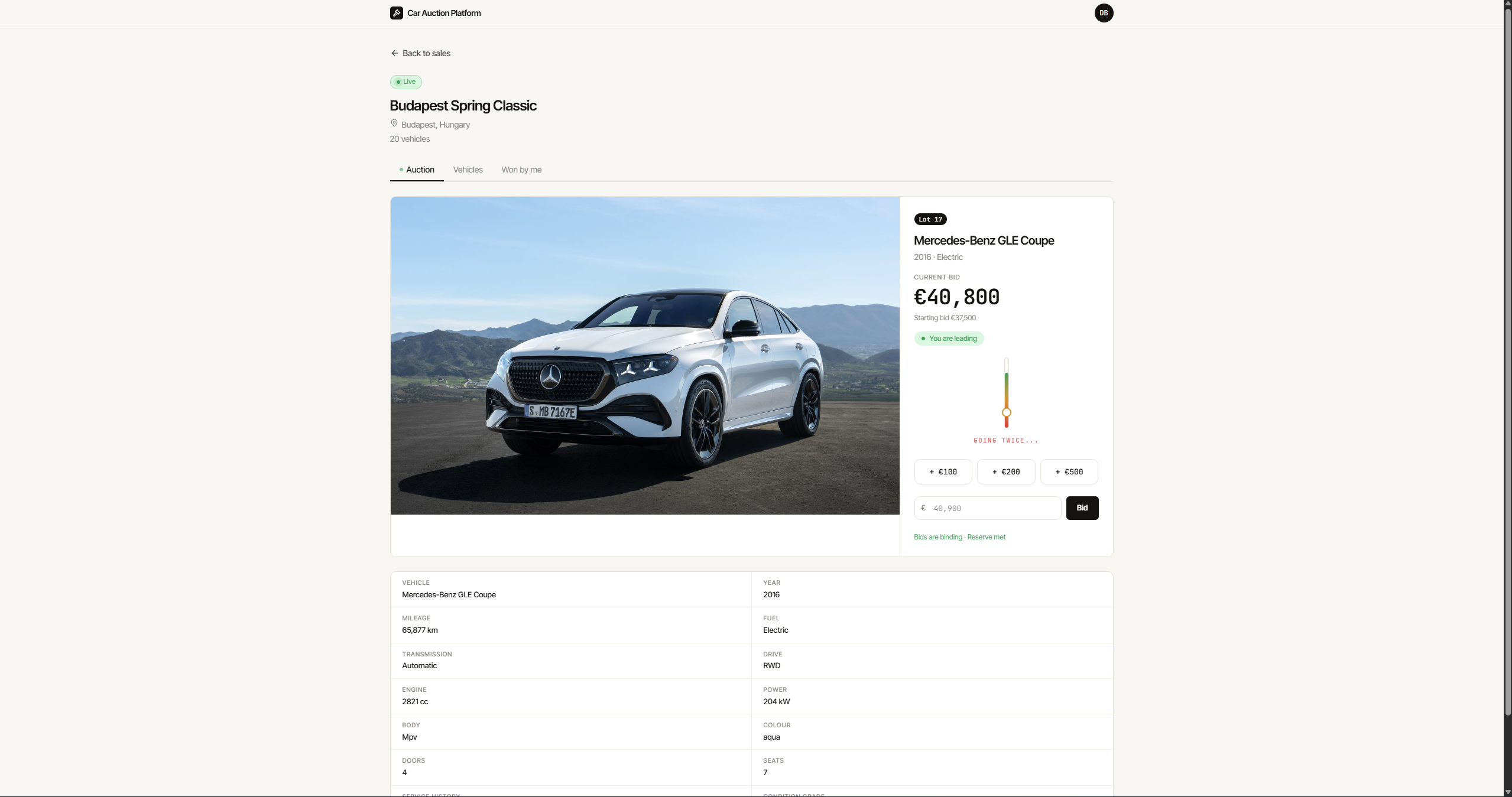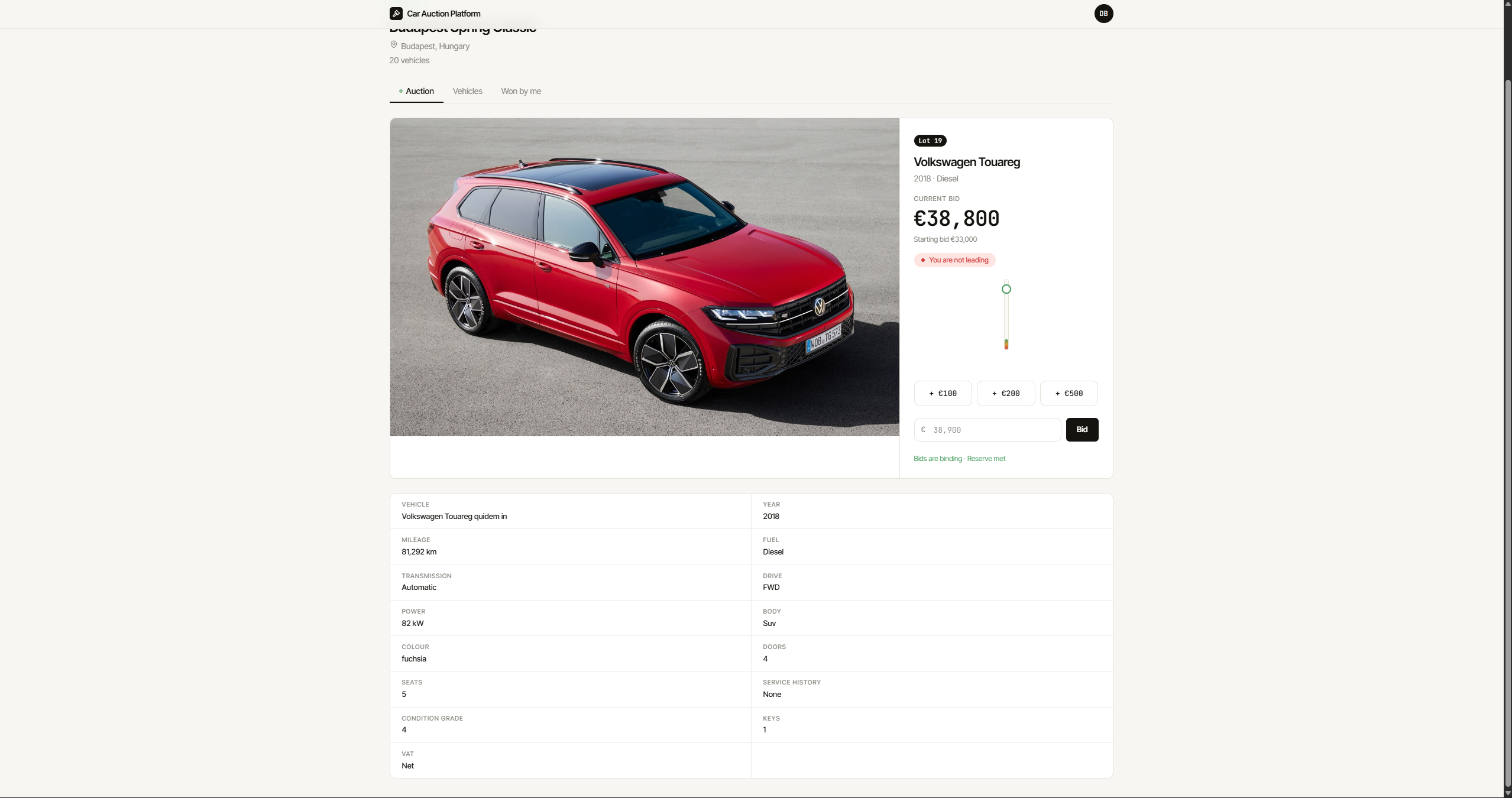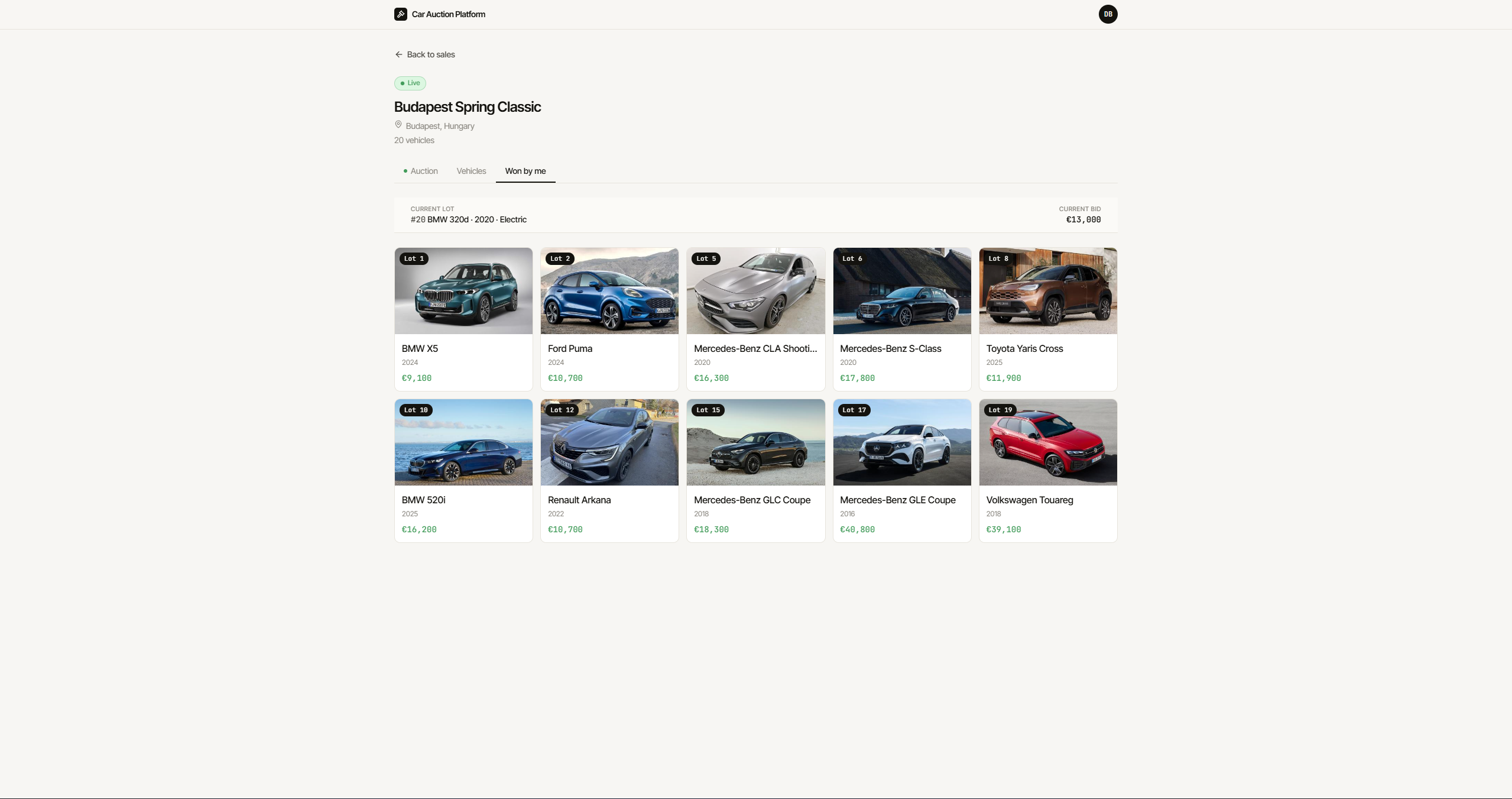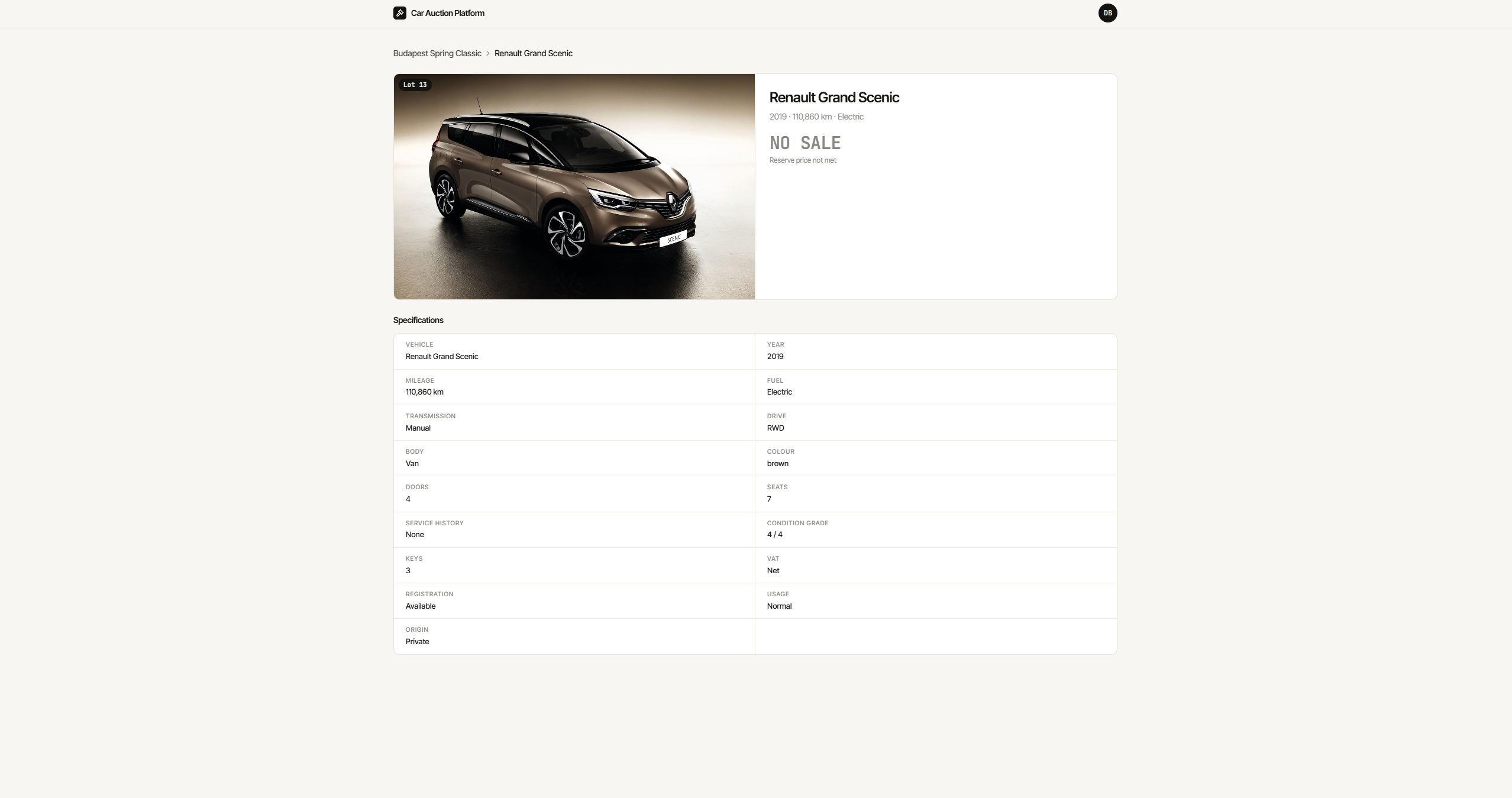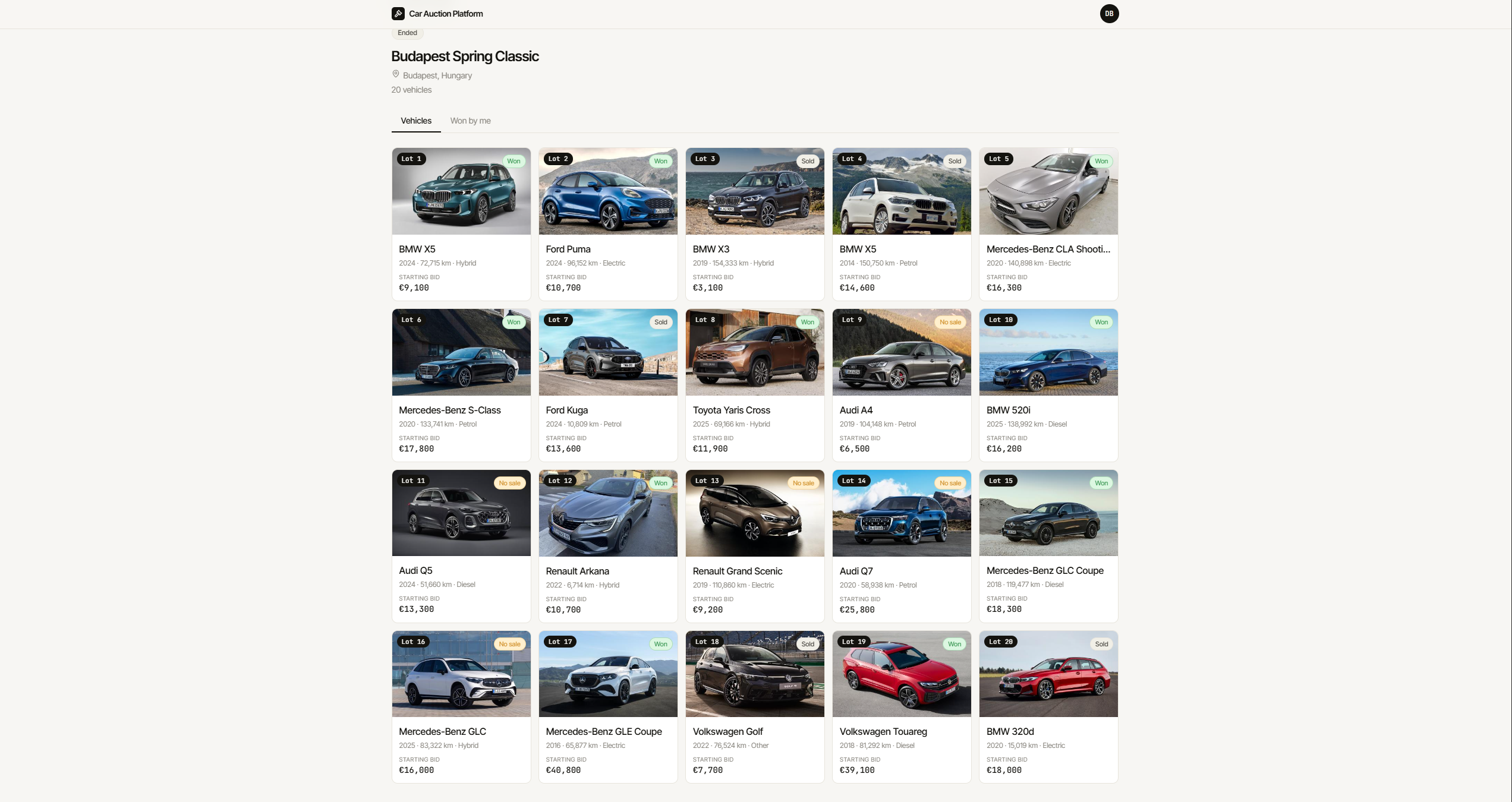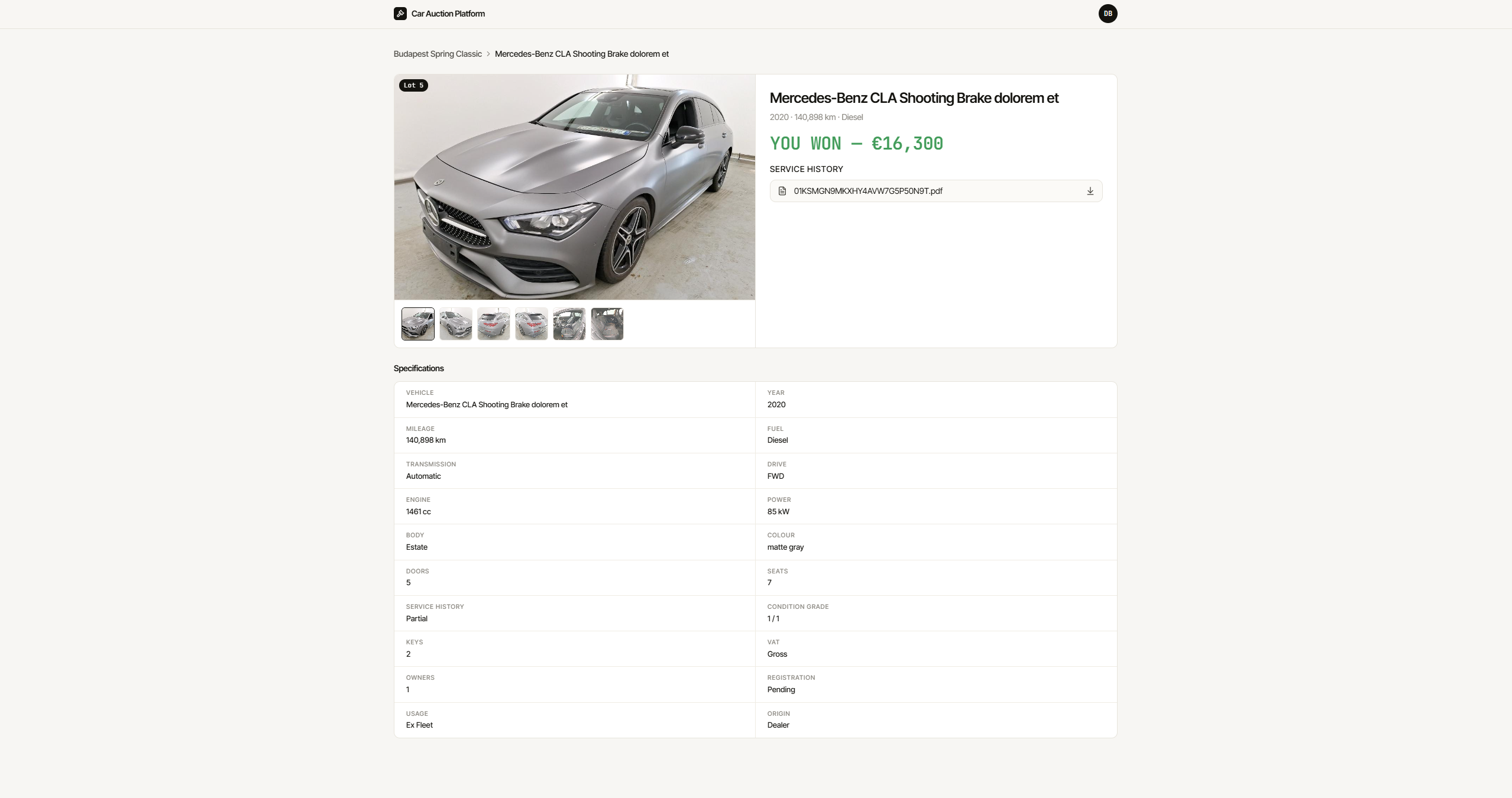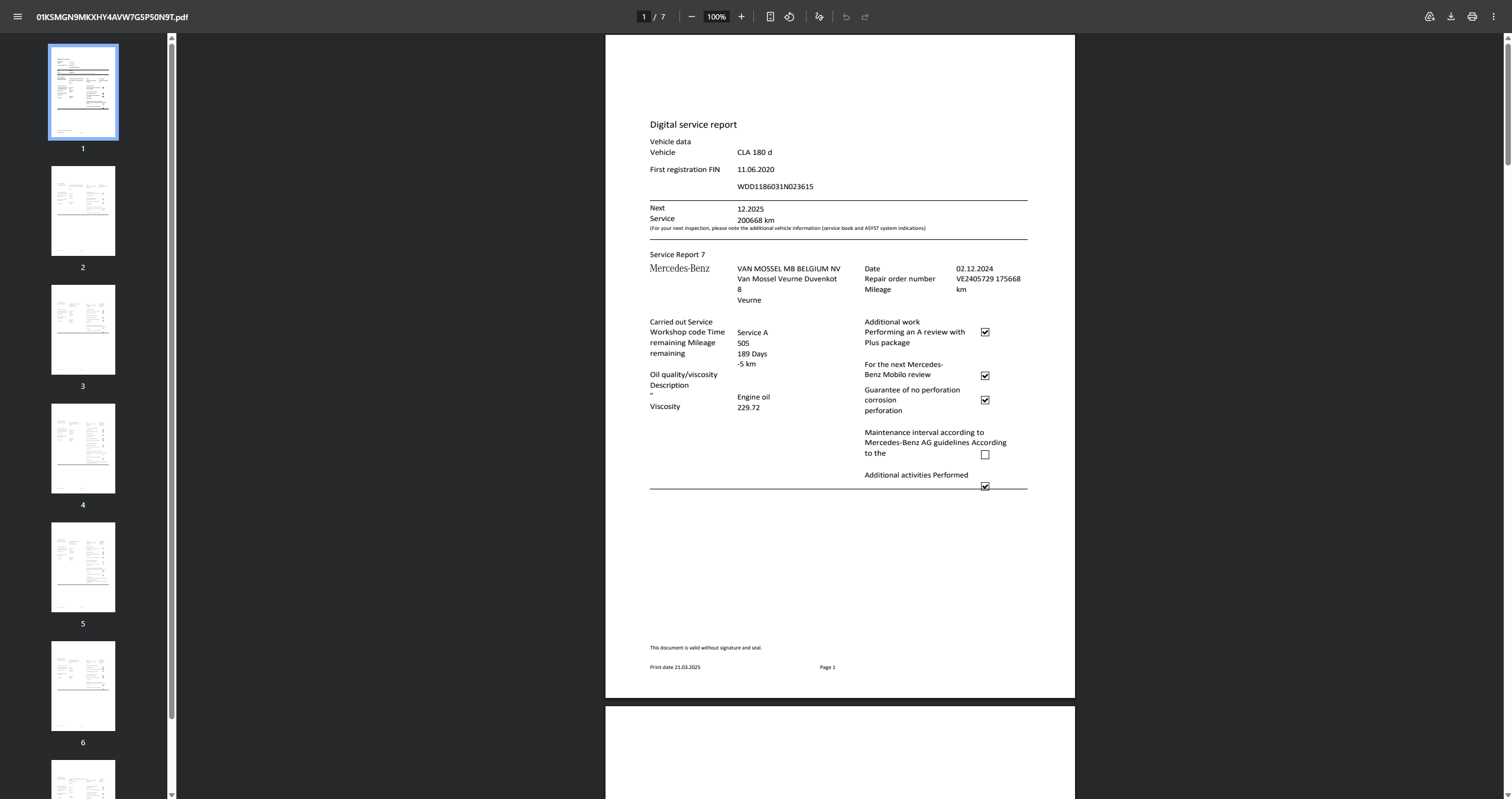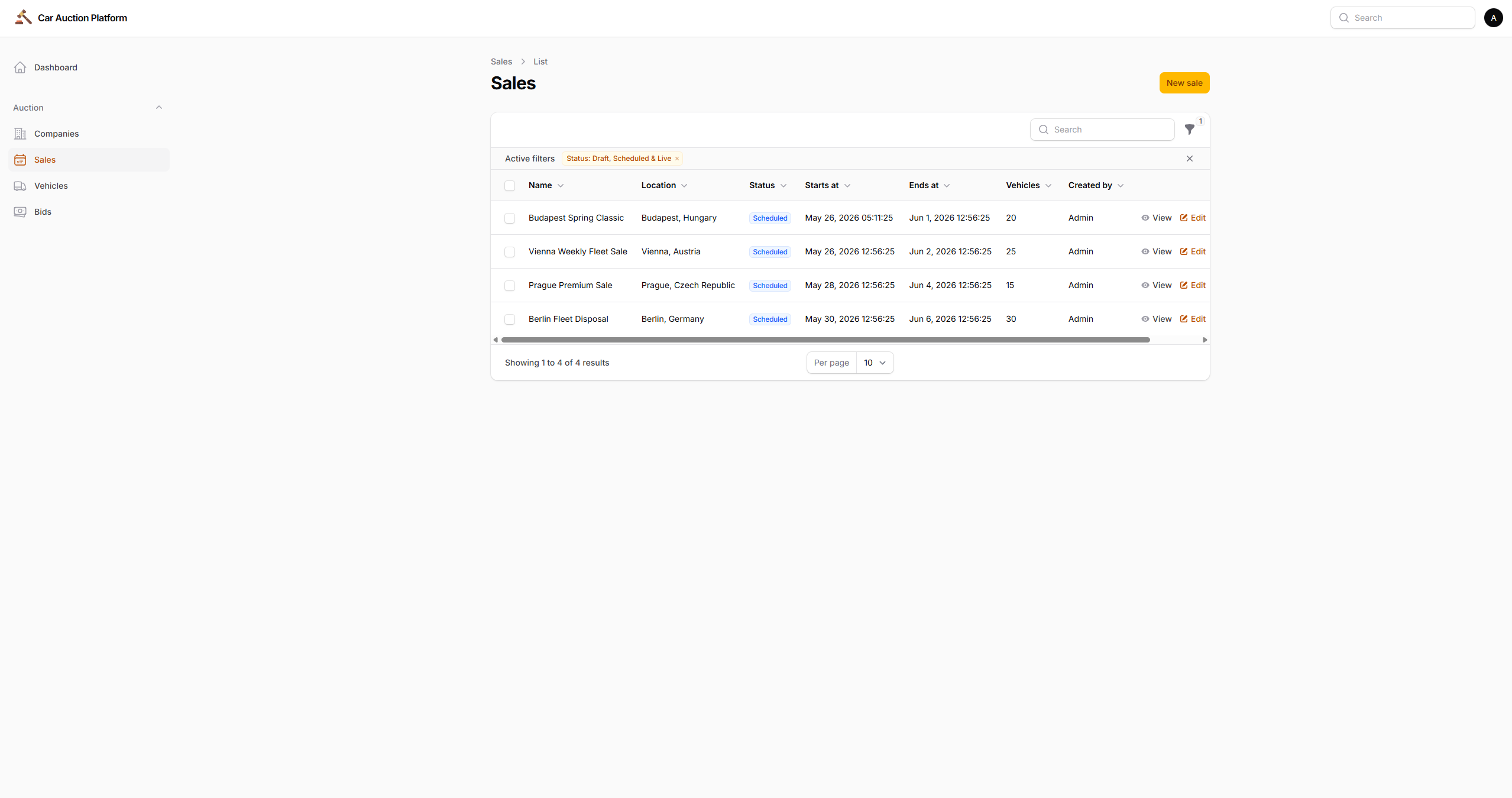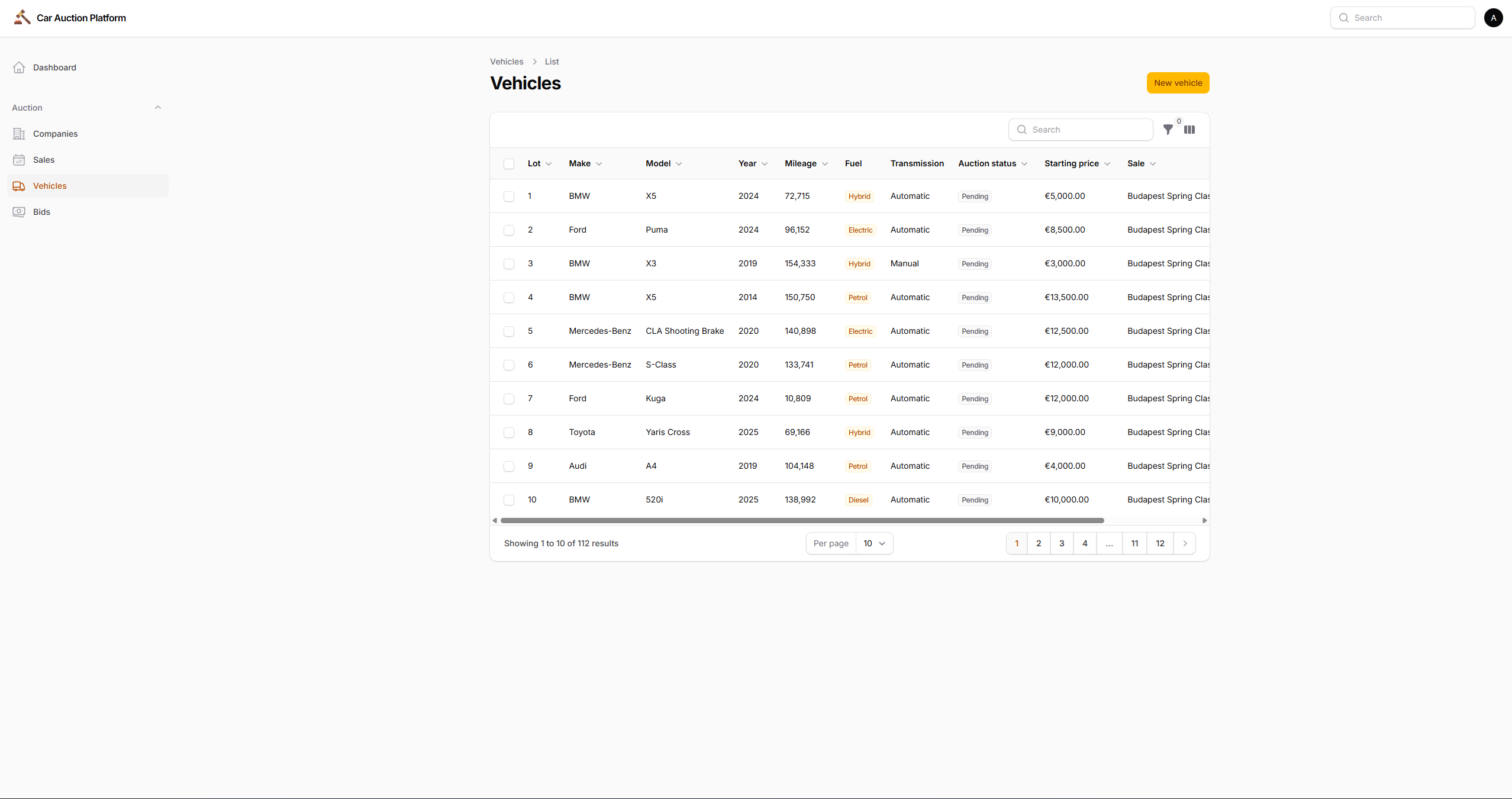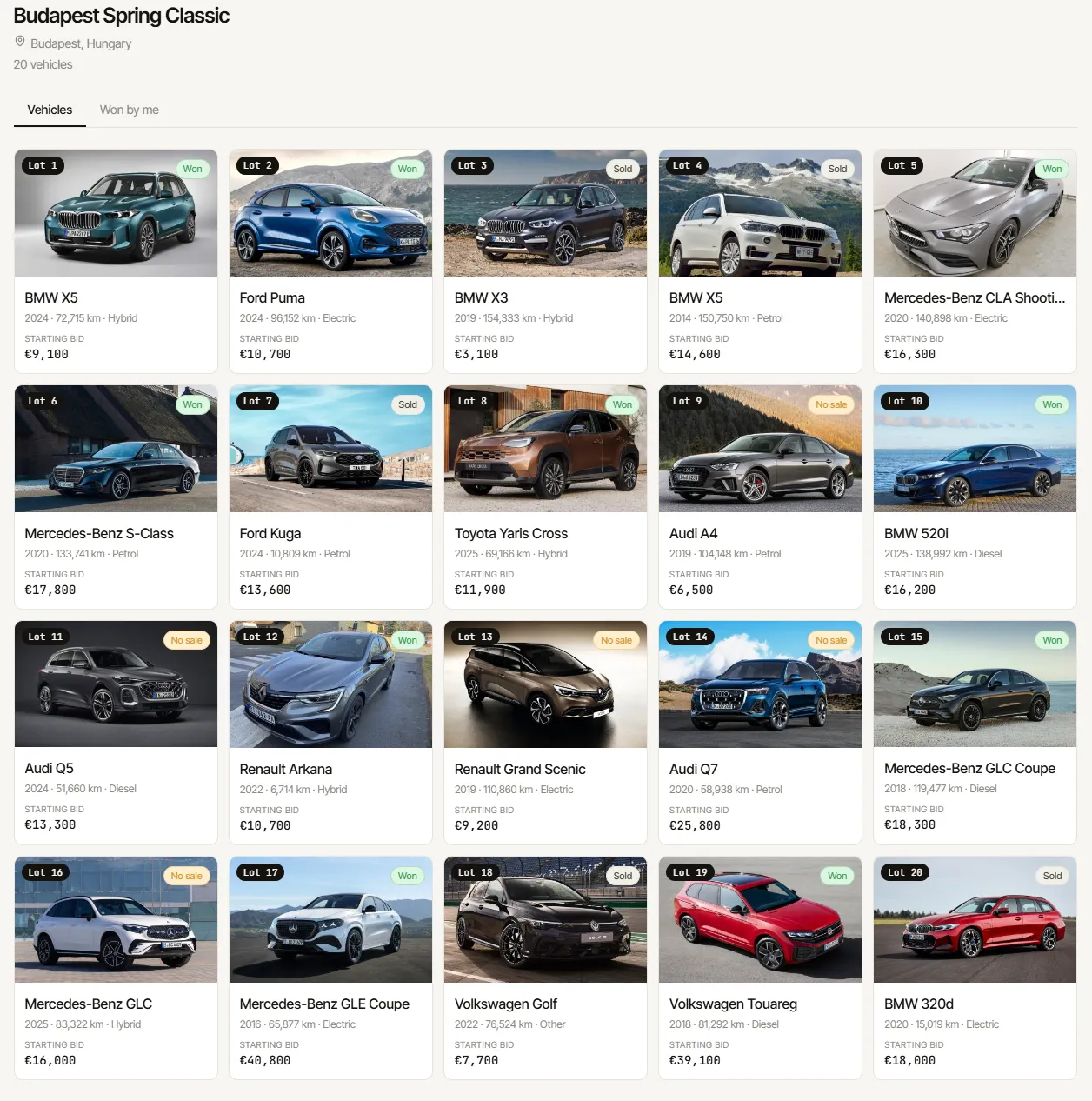







Professional vehicle auction houses like BCA and Manheim run thousands of lots per day across multiple physical and online sale events. Buyers register as companies, browse upcoming sales, enter live auctions, and place bids in real time — with a hammer that closes each lot after a period of silence and automatically advances to the next vehicle. This project replicates that core workflow as a full-stack web application.
The Problem
Running a vehicle auction online requires solving several non-trivial problems simultaneously: real-time state synchronisation across multiple browser sessions, race condition protection when two buyers submit bids at the same instant, a reserve price system that remains completely hidden from buyers, and an admin workflow for managing hundreds of vehicles across multiple sales. Most importantly, the experience has to feel live — the hammer must descend in real time, prices must update without page refreshes, and the transition from one lot to the next must happen automatically.
What It Does
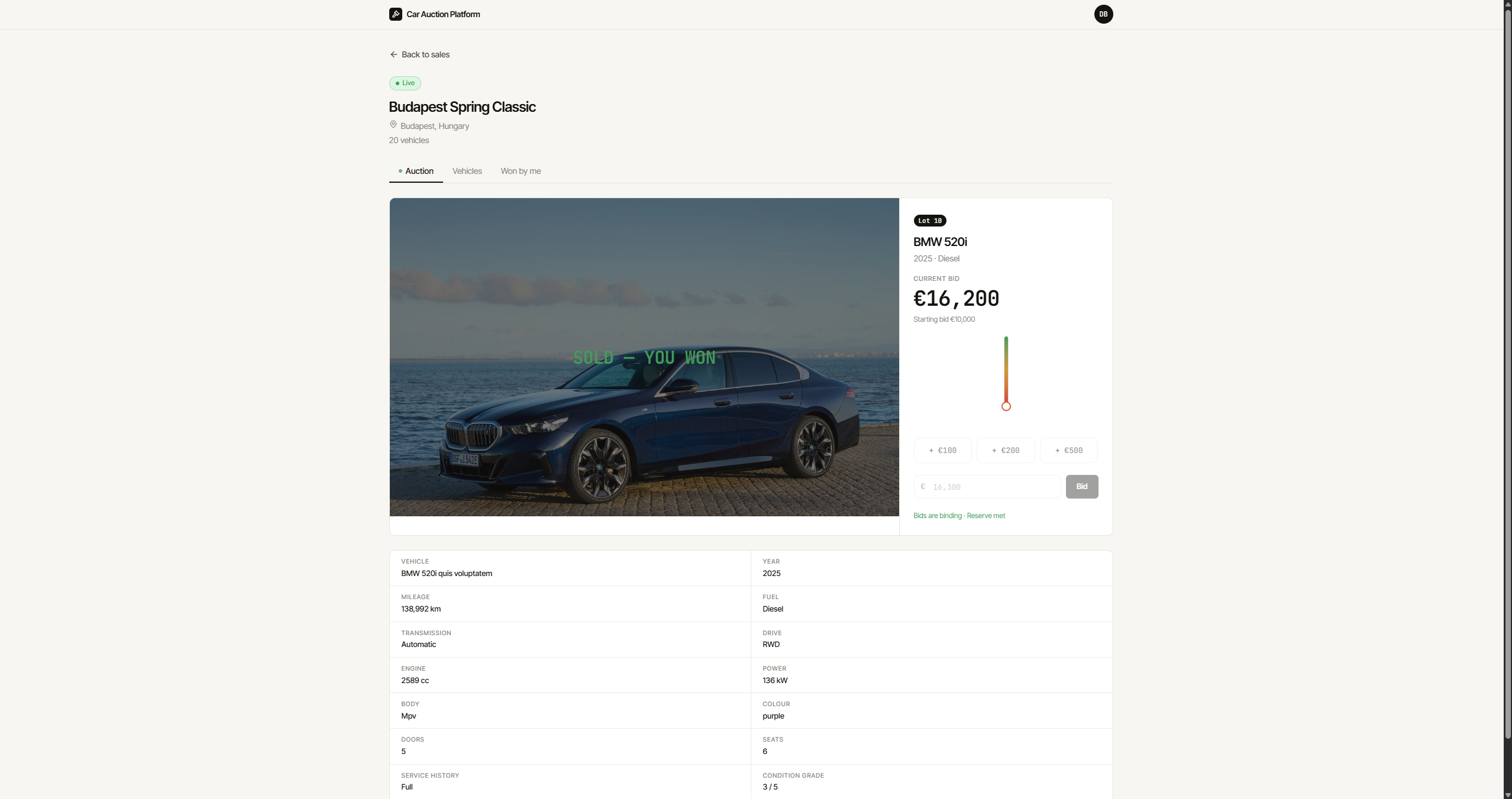
Registered companies browse upcoming sales and enter live auctions. Each auction shows the current vehicle with a full photo gallery, complete technical specifications, and a bid panel. A vertical hammer indicator descends over 14 seconds of inactivity — green at the top, amber in the middle, red near the bottom — with “Going once…” and “Going twice…” labels as it approaches the strike. Any new bid resets the hammer immediately for all connected viewers. When the hammer falls, the lot closes, the result appears as a full-screen overlay on the vehicle photo, and the next pending lot goes live automatically.
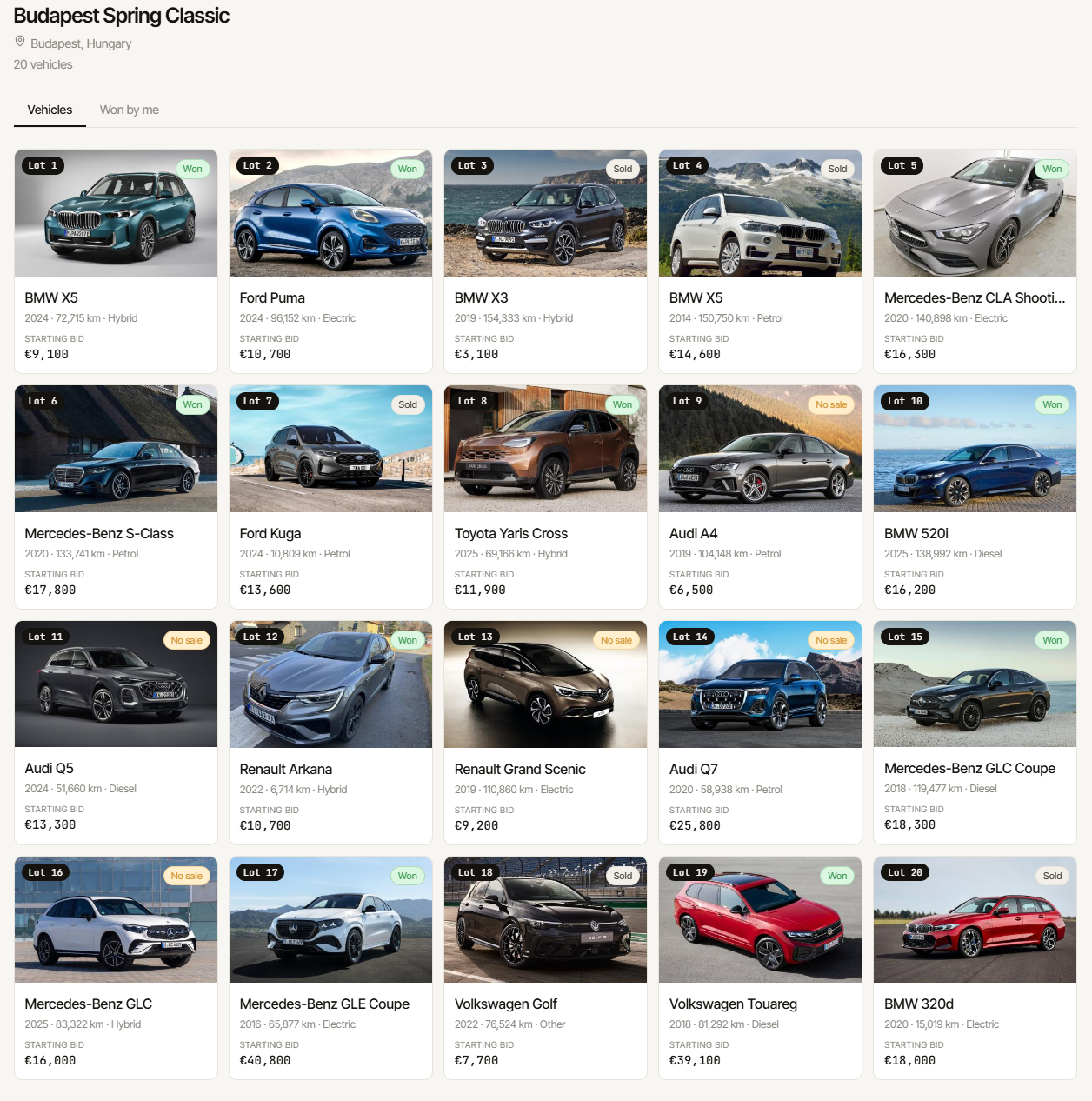
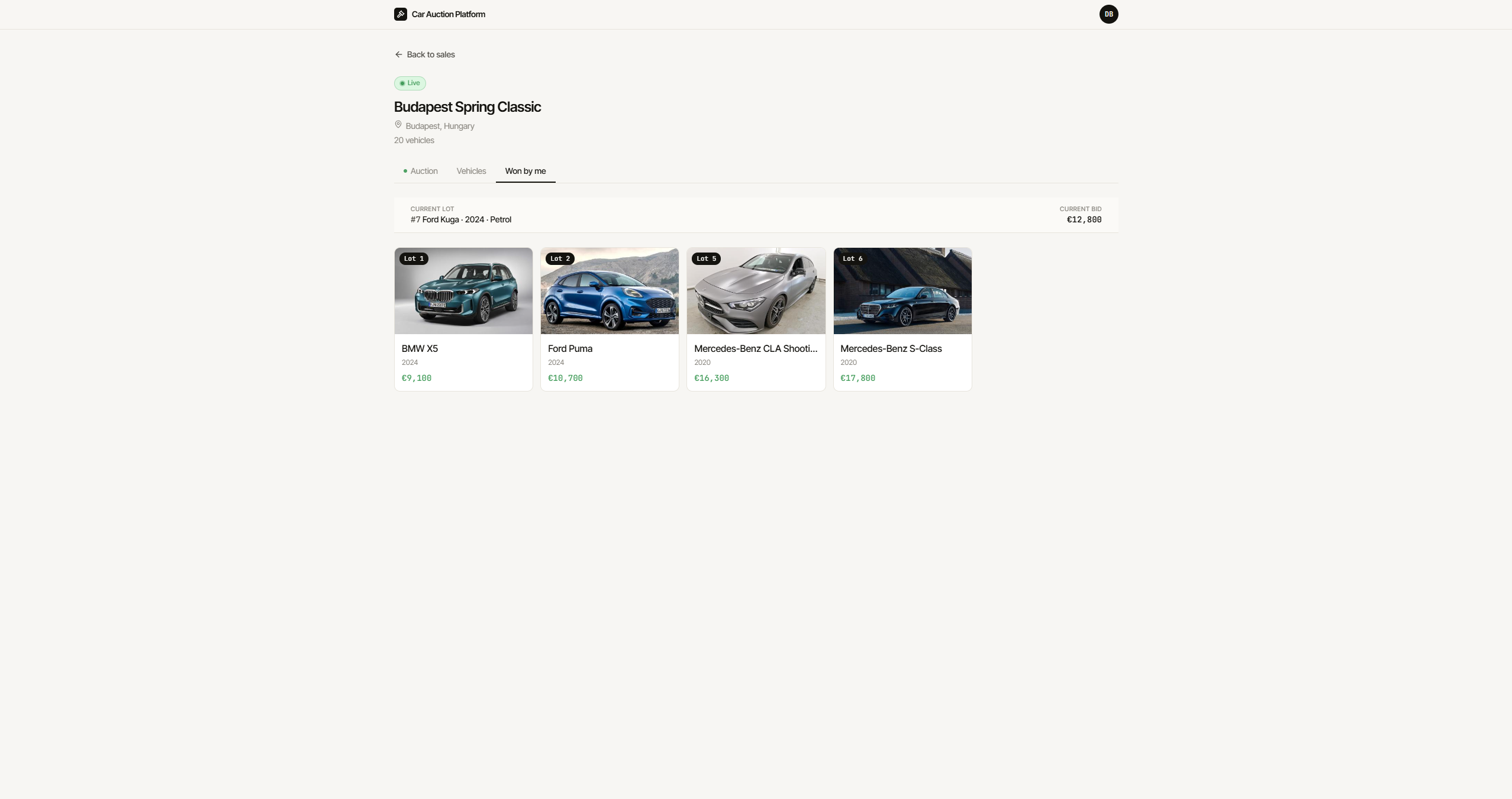
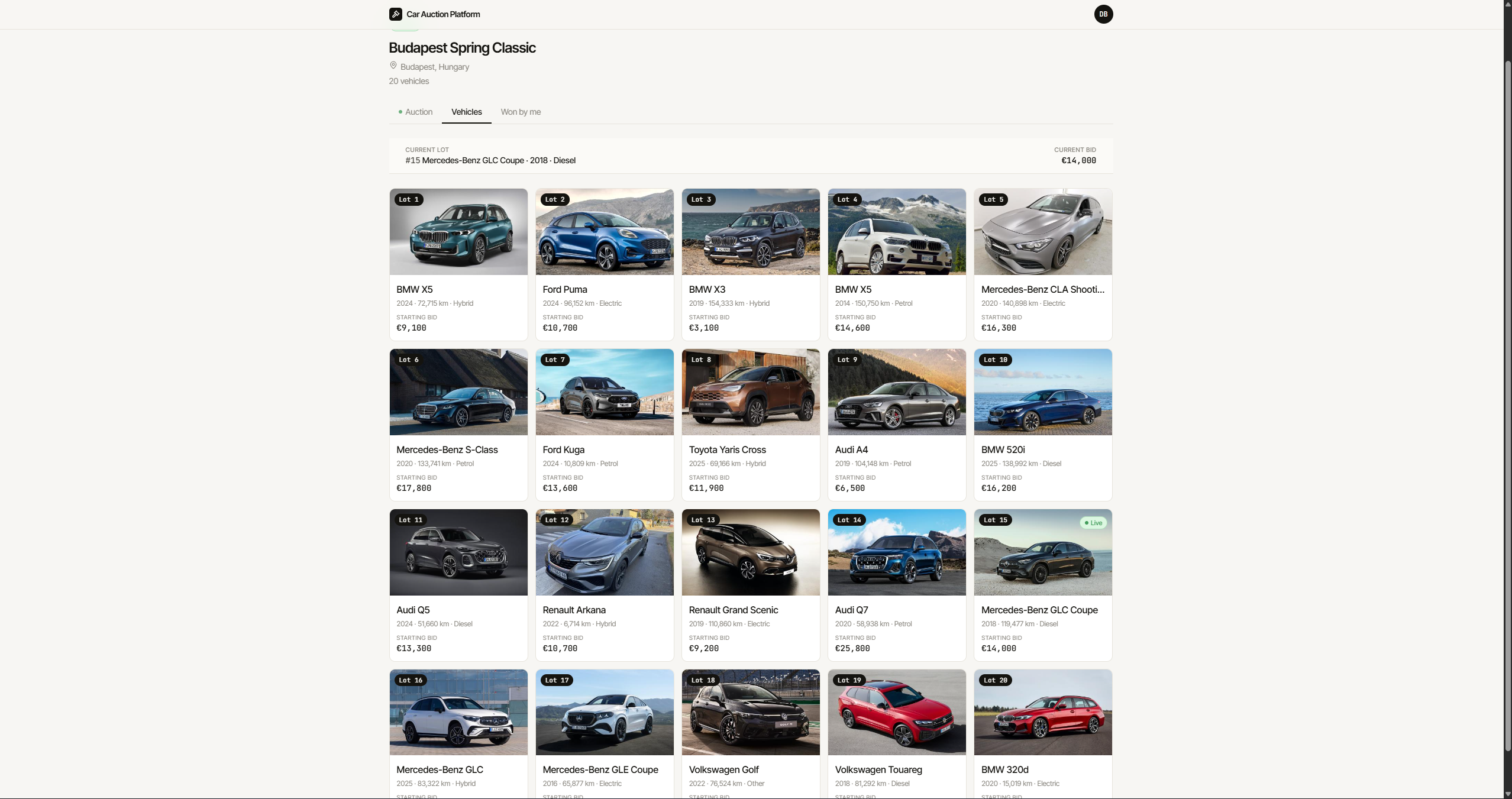
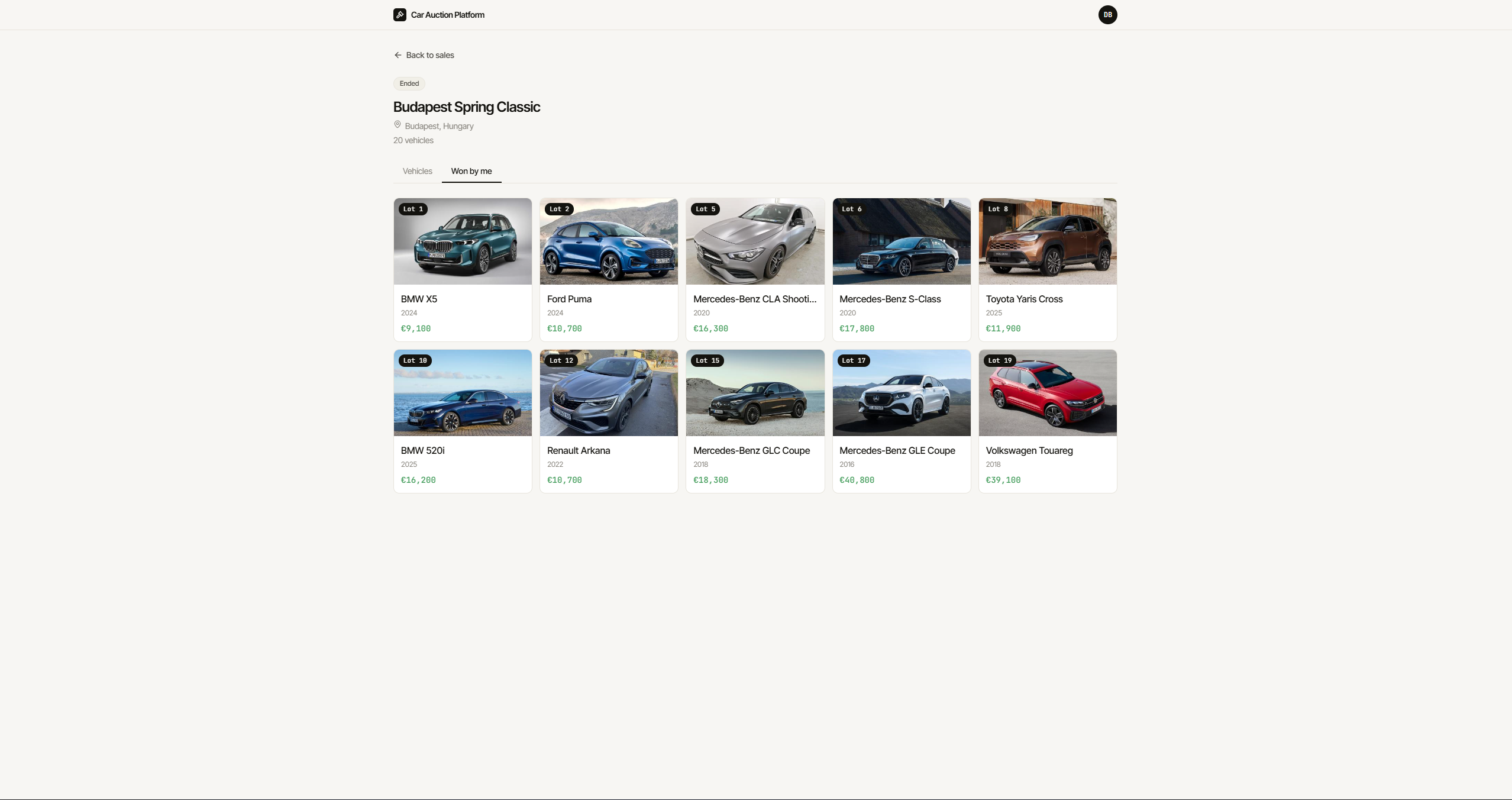
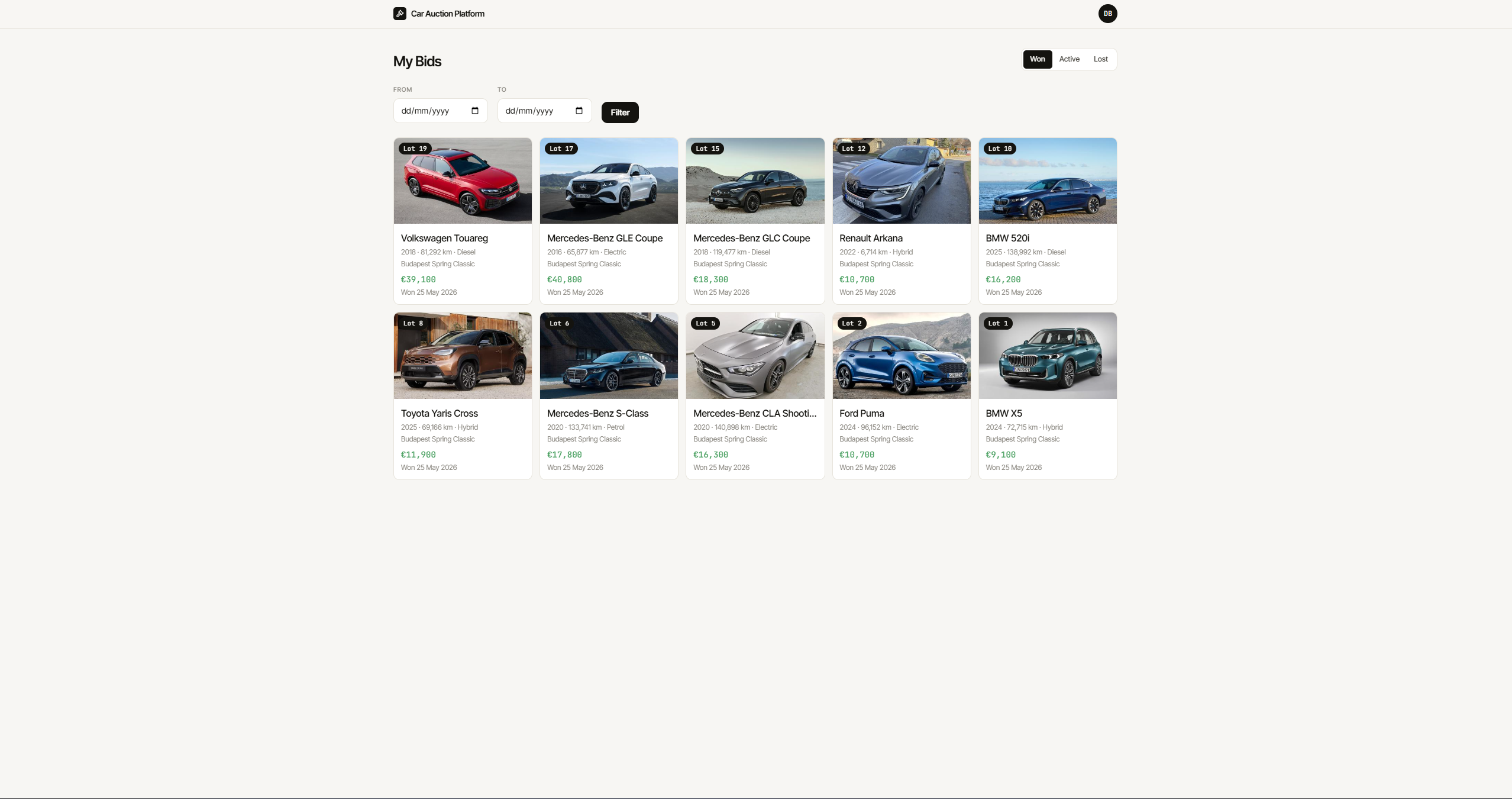
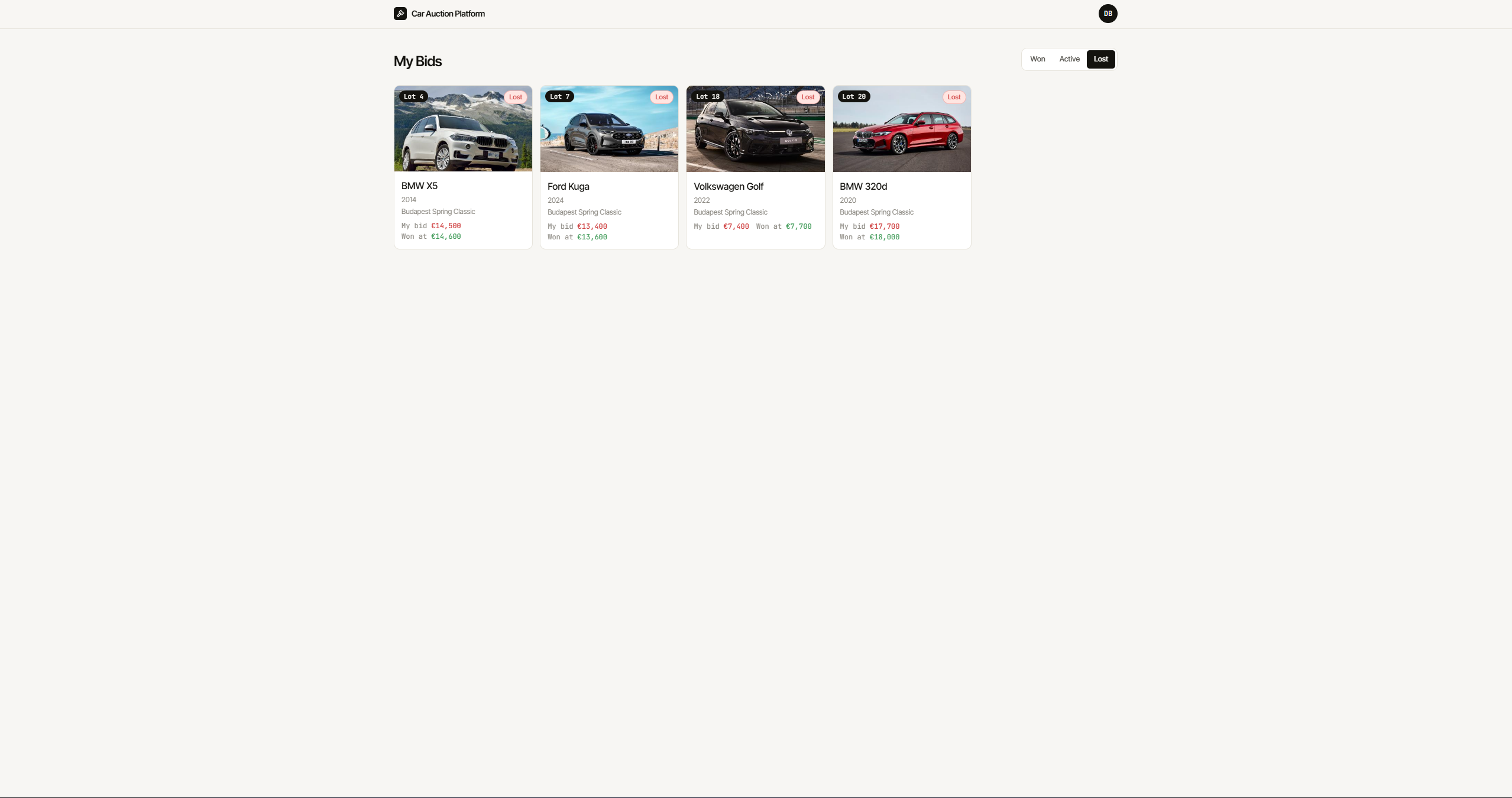
Between bids, buyers can switch to the Vehicles tab to browse all lots in the sale, or check Won by me to review their winnings — both update in real time without leaving the auction context.
Architecture
Built as a Laravel 13 + React 19 monolith connected via Inertia.js v2. Server state flows from Laravel controllers through typed Inertia props to React page components — no separate API layer. Real-time state is managed by Zustand, seeded from Inertia on page load and updated via Laravel Echo when WebSocket events arrive from Laravel Reverb.
The split is deliberate: Inertia owns the truth (vehicle data, bid history, won vehicles), Zustand owns the animation (hammer position, current bid amount, phase transitions). Partial reloads via router.reload({ only: [...] }) keep the page in sync after each lot closes without a full navigation.
Real-time Bidding
Every bid goes through a database transaction with pessimistic locking. Two buyers submitting simultaneously will resolve cleanly — the first to acquire the lock wins, the second receives a 422 because the locked vehicle’s highest bid has already increased beyond their submitted amount.
public function placeBid(Vehicle $vehicle, User $user, float $amount): Bid
{
    return DB::transaction(function () use ($vehicle, $user, $amount): Bid {
        $lockedVehicle = Vehicle::query()
            ->lockForUpdate()
            ->findOrFail($vehicle->id);

        if ($lockedVehicle->auction_status !== AuctionStatus::Live) {
            throw BidException::auctionNotLive();
        }

        $highestAmount = $lockedVehicle->bids()->max('amount');
        $minimumAmount = $this->resolveMinimumAmount($lockedVehicle, $highestAmount);

        if ($amount < $minimumAmount) {
            throw BidException::belowMinimum();
        }

        $lockedVehicle->bids()
            ->where('is_winning', true)
            ->update(['is_winning' => false]);

        $bid = $lockedVehicle->bids()->create([
            'user_id' => $user->id,
            'amount'  => $amount,
            'is_winning' => true,
        ]);

        BidPlaced::dispatch(
            $lockedVehicle->id,
            (float) $bid->amount,
            $user->id,
            $lockedVehicle->bids()->count(),
            $this->isReserveMet($lockedVehicle, (float) $bid->amount),
        );

        return $bid;
    });
}
The BidPlaced event broadcasts on a public channel auction.{vehicleId}. The payload includes a reserve_met boolean computed server-side — the actual reserve_price value is never sent to the frontend under any circumstances.
Auction Closing Flow
The hammer timeout is tracked in the browser via a setInterval driving the Zustand store’s tick() action. When silenceSeconds reaches silenceLimit (14 seconds) and closeTriggered is still false, the frontend sends a single POST /vehicles/{id}/close. Multiple simultaneous close requests from different tabs or browsers are safe: the first to reach the server acquires the lock and closes the lot, subsequent requests receive { success: false } and are silently ignored.
public function closeVehicle(Vehicle $vehicle): CloseVehicleResult
{
    return DB::transaction(function () use ($vehicle): CloseVehicleResult {
        $locked = Vehicle::query()->lockForUpdate()->findOrFail($vehicle->id);

        if ($locked->auction_status !== AuctionStatus::Live) {
            return CloseVehicleResult::alreadyClosed();
        }

        $winningBid = $locked->bids()->where('is_winning', true)->first();

        $reserveMet = $winningBid !== null && (
            $locked->reserve_price === null ||
            (float) $winningBid->amount >= (float) $locked->reserve_price
        );

        $result = ($winningBid !== null && $reserveMet)
            ? $this->closeAsSold($locked, $winningBid)
            : $this->closeAsUnsold($locked);

        $this->advanceSaleProgression($locked);

        return $result;
    });
}
After closing the current lot, advanceSaleProgression() finds the next pending vehicle in the same sale by lot_number, sets it to live, and broadcasts NextLotStarted on the sale-level channel sale.{saleId}. The frontend’s useSaleSocket hook receives this and triggers a partial Inertia reload, remounting LiveAuctionPanel with a new key so the Zustand store reinitialises cleanly for the new vehicle.
If no pending vehicles remain, the sale status is set to ended and SaleEnded is broadcast.
Zustand Auction Store
The store is the single source of truth for everything animated on the auction screen. It is initialised from Inertia props on mount and updated exclusively by WebSocket events after that.
interface AuctionState {
  vehicleId: number | null
  currentBid: number
  startingPrice: number
  isLeading: boolean
  reserveMet: boolean
  silenceSeconds: number
  silenceLimit: number       // 14
  closeTriggered: boolean
  phase: 'idle' | 'once' | 'twice' | 'sold' | 'unsold'
  hammerPosition: number     // 0 = top, 1 = bottom

  initialize: (vehicleId: number, currentBid: number, startingPrice: number, isLeading: boolean, reserveMet: boolean) => void
  onBidReceived: (amount: number, isLeading: boolean, reserveMet: boolean) => void
  tick: () => void
  slam: (status: 'sold' | 'unsold') => void
  reset: () => void
}
hammerPosition is derived as silenceSeconds / silenceLimit. Phase thresholds: idle below 0.35, once from 0.35, twice from 0.68. slam() sets hammerPosition to 1 and transitions to sold or unsold. tick() is a no-op once the phase is terminal.
Reserve Price Security
The reserve price is stored in the database and accessible only in the Filament admin panel. It is explicitly excluded from every Inertia prop, API response, and WebSocket broadcast payload. The Vehicle model carries #[Hidden(['reserve_price'])] as a backstop, but all service methods use explicit select() lists that never include the column.
The frontend receives only reserve_met: boolean, computed server-side and included in both the initial current_lot props and every BidPlaced broadcast.
Company Registration and Approval
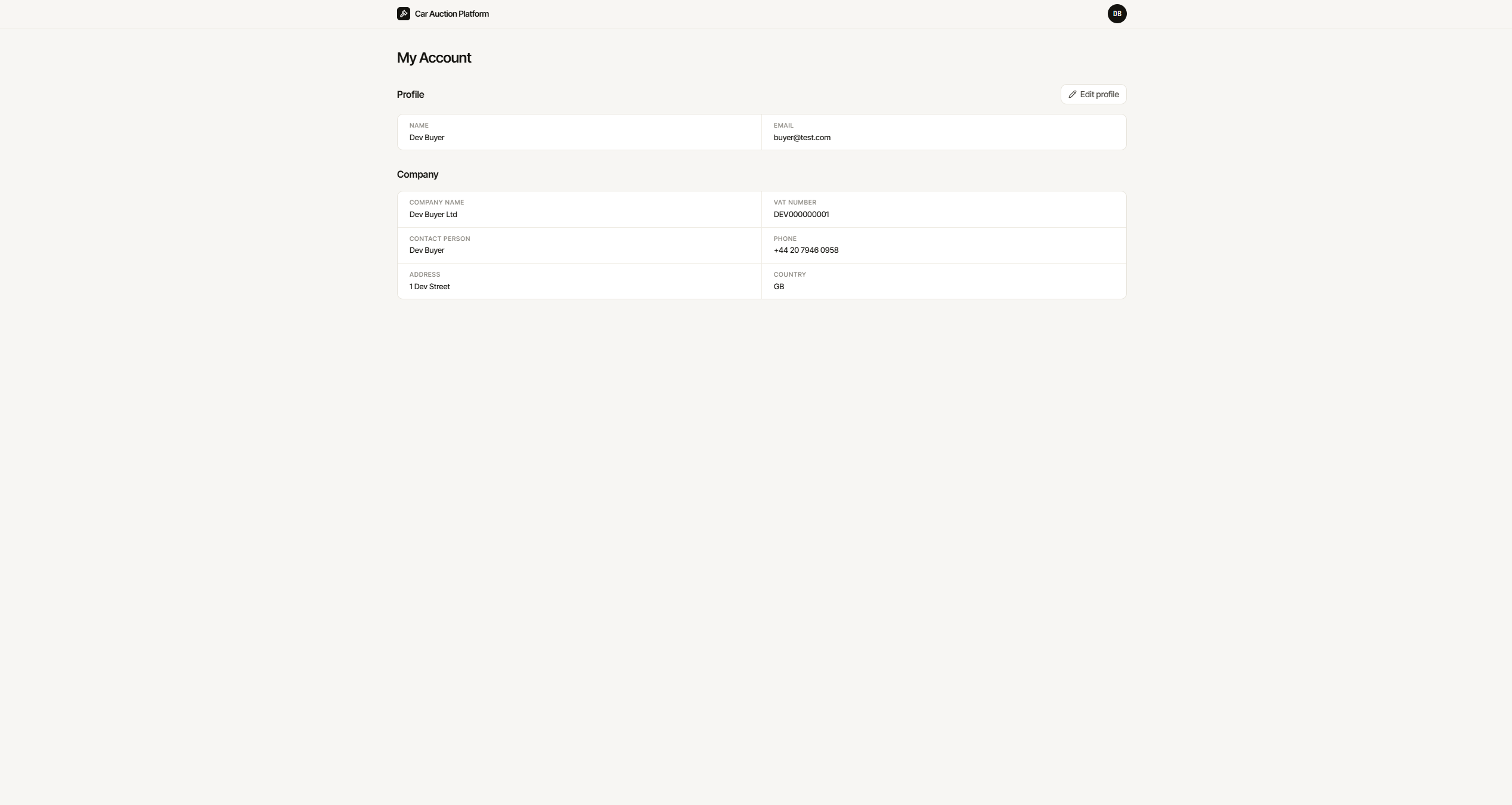
The platform uses two completely separate authentication guards. Buyers register as companies at /register — submitting both company details (name, VAT number, address) and personal account details. The account is created immediately but with approved_at = null, preventing login until an administrator approves it in the Filament panel.
The EnsureCompanyApproved middleware checks approved_at on every protected route. Unapproved users who somehow authenticate are redirected to a pending approval page rather than the main application.
public function handle(Request $request, Closure $next): Response
{
    $user = $request->user();

    if ($user === null) {
        return redirect()->route('login');
    }

    if ($user->company === null || $user->company->approved_at === null) {
        return redirect()->route('pending.approval');
    }

    return $next($request);
}
Admins log in at /admin/login using a separate admin guard backed by a separate admins table. The two sessions are entirely independent — logging in as an admin does not log in as a buyer and vice versa.
Vehicle Images
Vehicle photos are managed via Spatie Media Library with a dedicated images collection. The admin uploads photos directly in the Filament vehicle form — multiple files, reorderable via drag-and-drop, with an inline image editor for cropping.
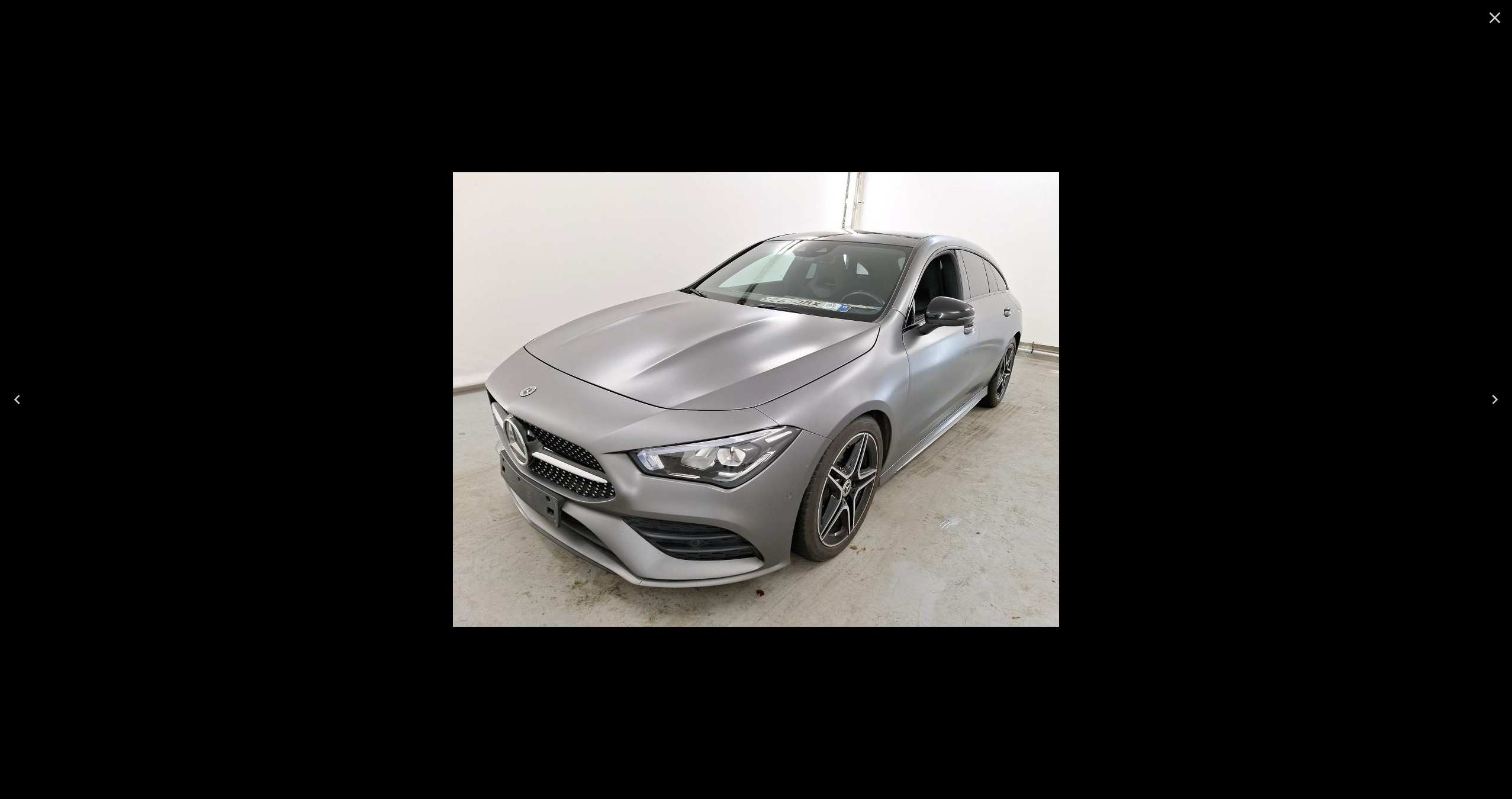
A thumb conversion (400px wide, non-queued) is generated automatically on upload. List views — vehicle cards, won vehicle cards, active bid cards — receive the thumb URL for fast loading. The vehicle detail page and lightbox receive full-resolution URLs.
public function registerMediaConversions(?Media $media = null): void
{
    $this->addMediaConversion('thumb')
        ->width(400)
        ->nonQueued();
}
The ResolvesVehicleMedia trait shared across all services ensures consistency:
private function resolveFirstImageUrl(Vehicle $vehicle): ?string
{
    $url = $vehicle->getFirstMediaUrl('images', 'thumb');
    return $url !== '' ? $url : null;
}
Service History Documents
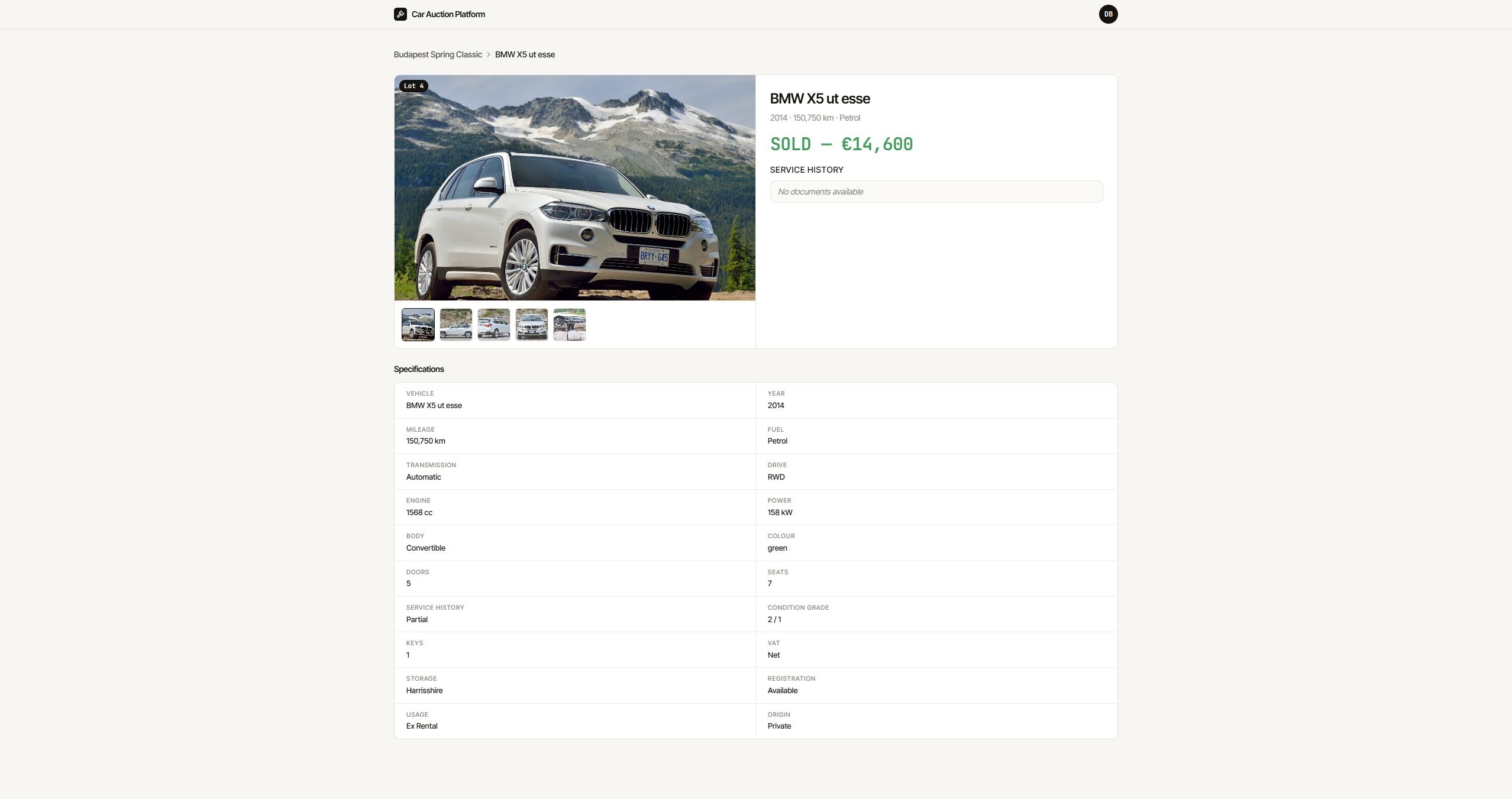
A second Spatie Media Library collection (service_history) is registered on the Vehicle model for uploading inspection reports, service records, and other documentation. Admins upload files directly from the Condition tab in the vehicle form. Approved buyers see the documents listed on the vehicle detail page with download links. If no documents have been uploaded, the section shows “No documents available”.
Admin Panel
The Filament v5 admin panel uses its own guard and provides complete control over the auction lifecycle:
- Companies — approve or revoke buyer access with a single action; form excludes approval fields so they can only be set via actions
- Sales — create and manage sale events; vehicles relation manager allows adding and editing lots directly from the sale view
- Vehicles — tabbed form across Basic, Engine, Condition, Registration, Pricing, and Equipment; reserve price visible here only; shared form used in both standalone resource and the sale relation manager to avoid drift
- Bids — read-only log; soft delete only; no create or edit
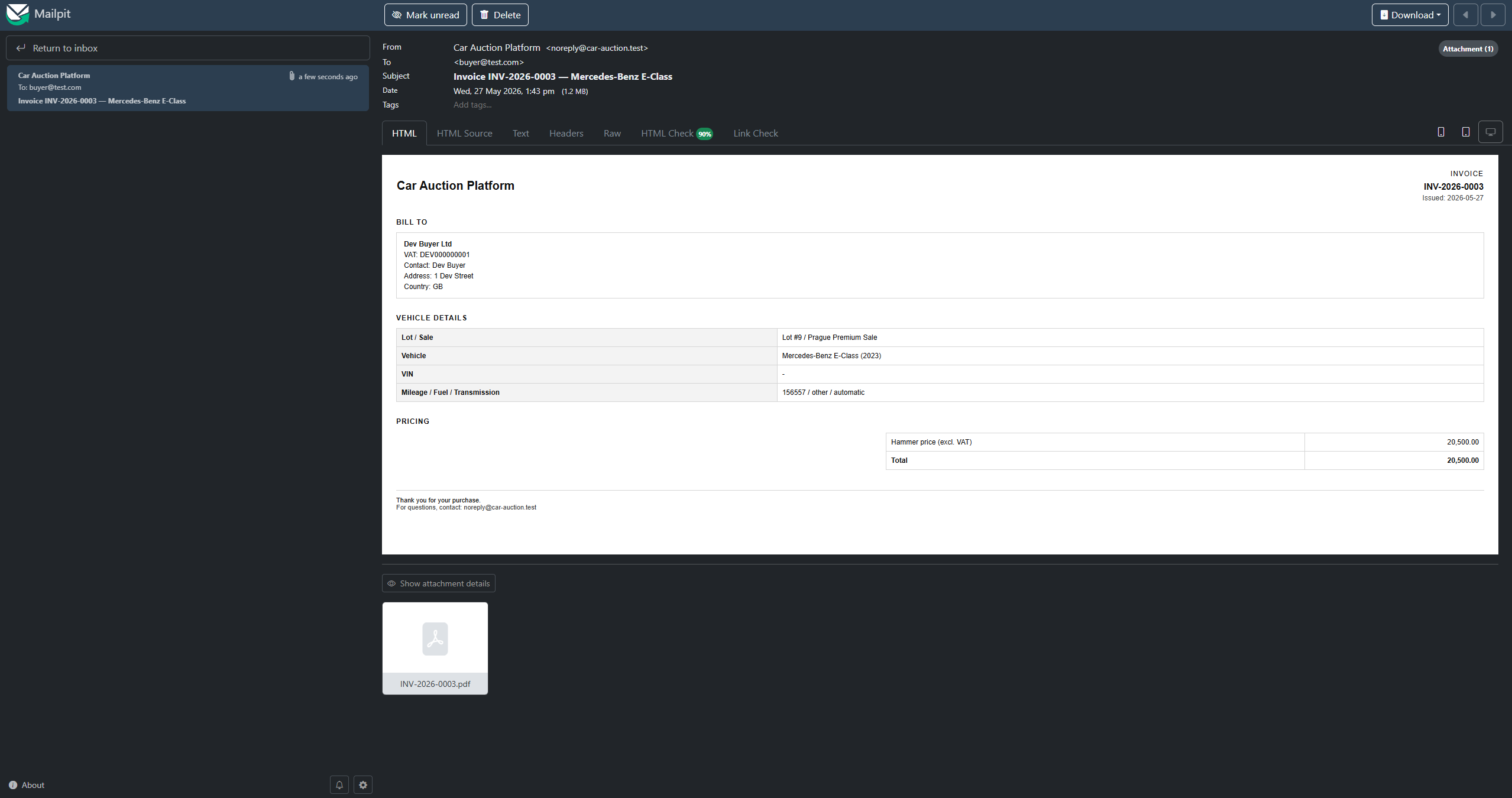
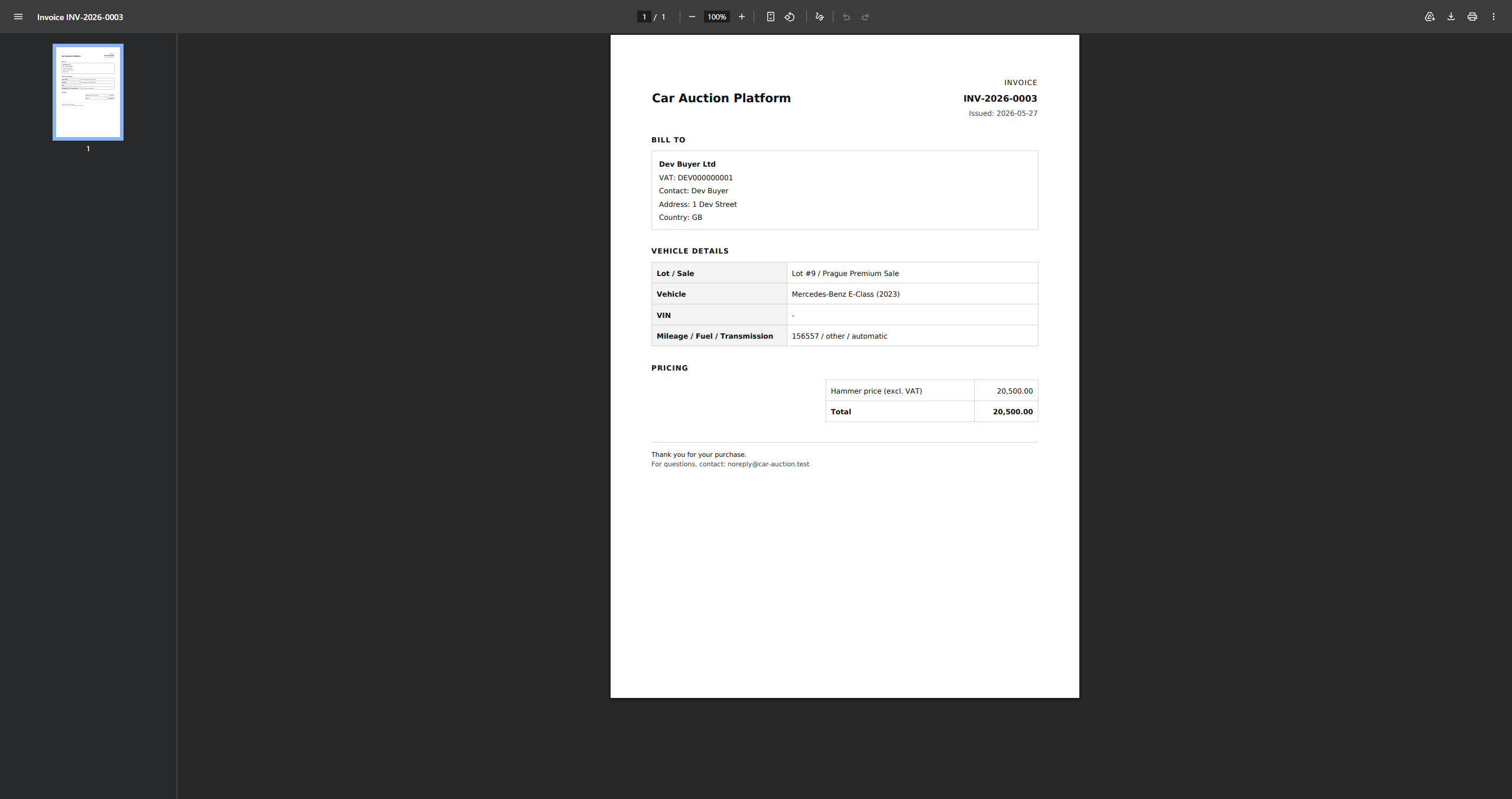
- Invoices — automatically generated on lot close; PDF attached to winner email; invoice number format INV-YEAR-0001 with yearly reset; includes company billing info, vehicle details, and hammer price
- Dashboard — stats overview with clickable cards linking to each resource
Testing
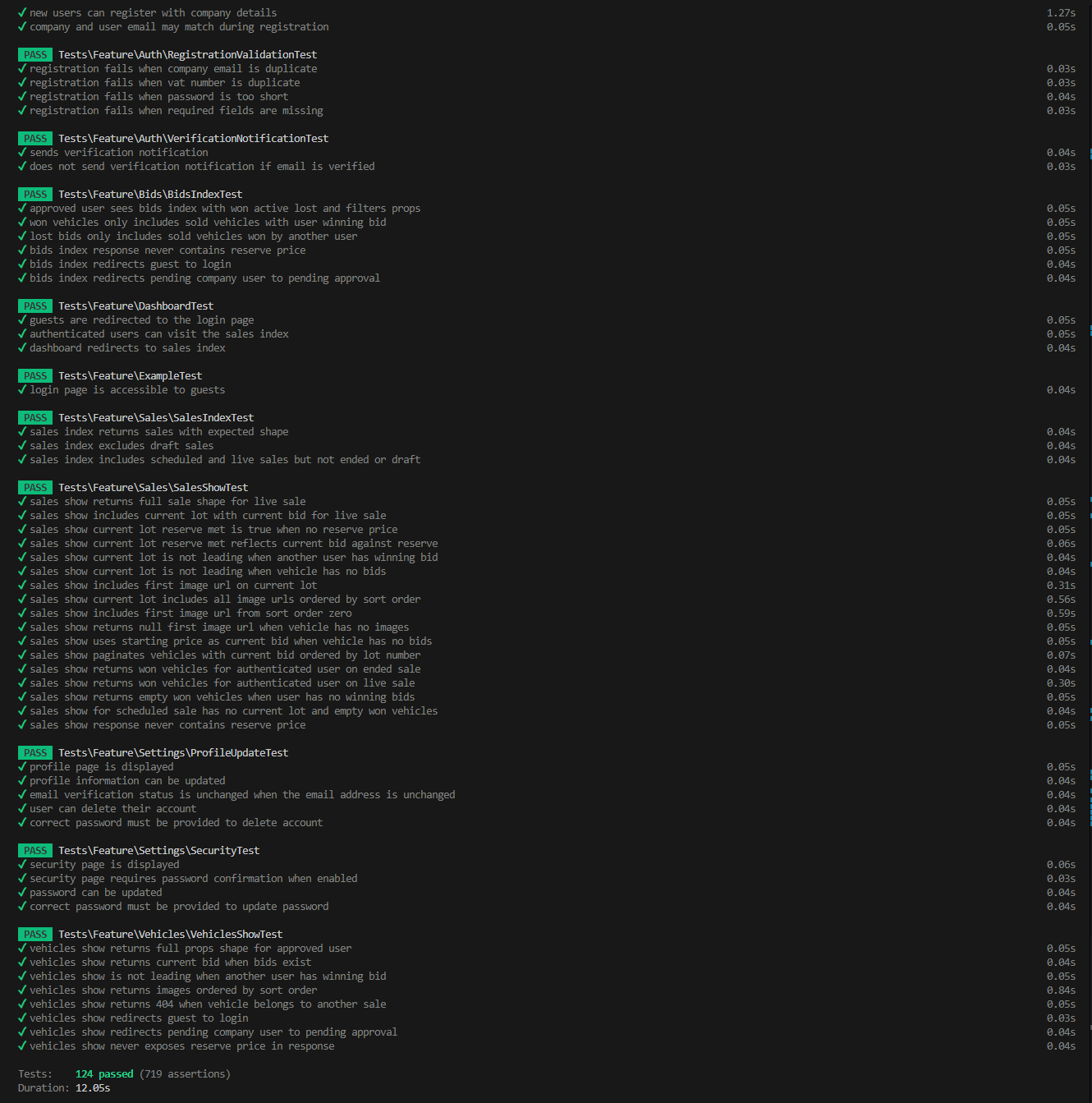
124 Pest tests covering authentication, sales, vehicles, bid placement, auction closing, account pages, and bid history. Key areas:
- Race condition: sequential stale-bid test — second bid submitted with an amount that was valid before the first bid landed, rejected after
- Reserve price: never present in any Inertia prop, JSON response, or broadcast payload — asserted explicitly in sales show, vehicle show, bids index, and BidPlaced broadcast tests
- Auction closing: idempotency (second close returns
alreadyClosed, no duplicate broadcast), next lot advancement, sale ended transition, reserve price check (winning bid below reserve → unsold) - Auth matrix: unauthenticated, pending company, and approved company tested separately on bid placement and close endpoints
Development Utilities
A bot simulator runs alongside the frontend during local development:
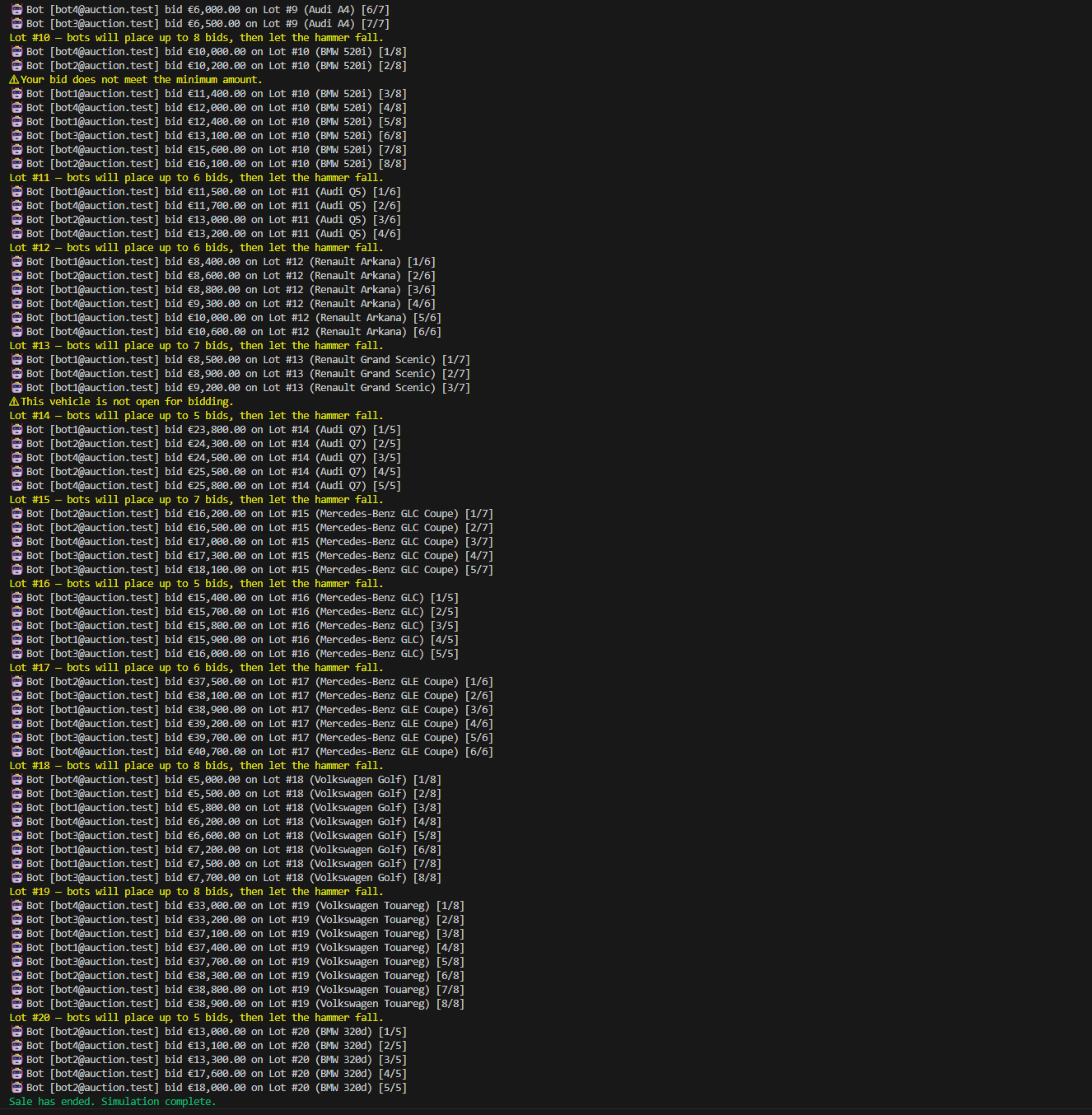
php artisan auction:simulate {saleId}Four bot users place 5–8 bids per lot with random 3–8 second intervals and a 25% chance of skipping any given round. Bots never outbid themselves — the current winning bidder is excluded from the pool for the next bid. After reaching the per-lot cap, bots stop bidding and allow the 14-second hammer to fall naturally.