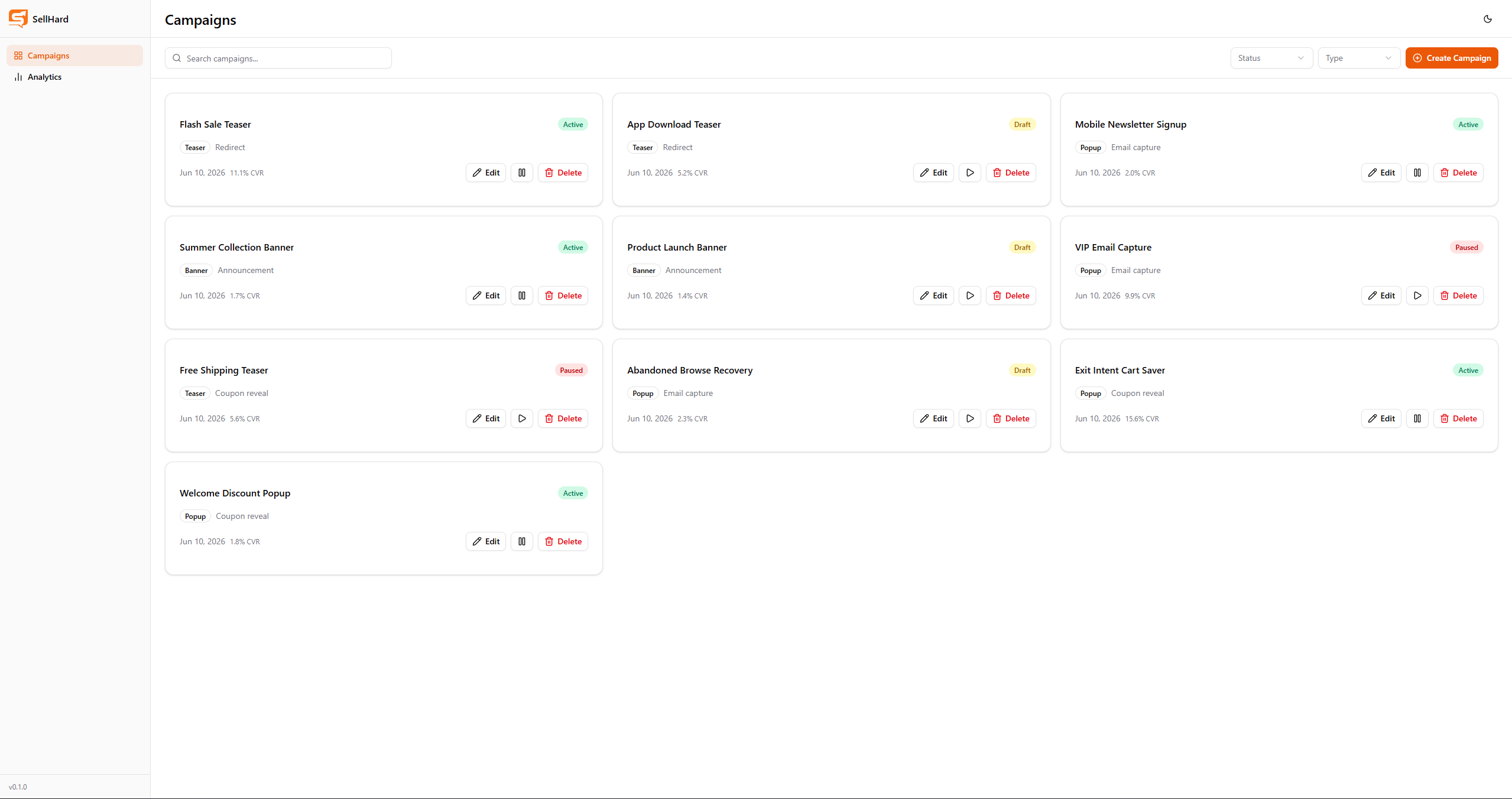








SellHard is a full-stack popup and campaign builder tool built as a learning project for Node.js backend development. It was directly inspired by a take-home assignment — a funnel analytics mini-app — which I extended into a full product covering campaign creation, live preview, and step-level analytics. The project covers the full stack: a decoupled Vue 3 SPA communicating with a REST API backed by Express and MongoDB Atlas.
The Problem
Marketers building popup campaigns typically see only a final conversion rate — for example, 5% — but have no visibility into which step inside a multi-step flow is responsible for the drop-off. A teaser might convert well at 30%, while the email capture step kills the overall number. The goal was to build a tool that both creates campaigns and visualises their funnel performance at the step level, making problem steps immediately visible.
Architecture
The project is a decoupled monorepo: a Vue 3 SPA on the frontend and an Express REST API on the backend. They communicate exclusively via HTTP/JSON.
sellhard/
├── frontend/    ← Vue 3 + Vite + TypeScript SPA
└── backend/     ← Node.js + Express 5 + TypeScript REST API
Frontend: Vue 3 with Composition API and <script setup> throughout, Pinia for global state, Vue Router for navigation, and Axios for API calls. Tailwind CSS v4 with shadcn-vue handles all UI. ECharts via vue-echarts powers the analytics bar chart.
Backend: Express 5 with TypeScript, Mongoose as the ODM, and MongoDB Atlas as the cloud database. All routes are RESTful — the backend returns only JSON and has no awareness of the frontend framework.
Campaign Data Model
Campaigns are stored as MongoDB documents with embedded steps — a natural fit for the document model since steps are always accessed in the context of their parent campaign.
interface ICampaign {
  name: string
  type: 'popup' | 'teaser' | 'banner'
  status: 'draft' | 'active' | 'paused'
  goal: 'email_capture' | 'coupon_reveal' | 'redirect' | 'announcement'
  targeting: {
    urls: string[]
    device: 'desktop' | 'mobile' | 'all'
    trigger: {
      type: 'exit_intent' | 'scroll' | 'timer' | 'page_load'
      value?: number
    }
  }
  steps: IStep[]
  style: { bgColor: string; textColor: string; ctaColor: string }
  stats: { impressions: number; conversions: number }
}

interface IStep {
  order: number
  type: 'teaser' | 'form' | 'message'
  views: number
  proceeds: number
  content: {
    title: string
    body?: string
    ctaText: string
    ctaUrl?: string
    couponCode?: string
    emailLabel?: string
  }
}
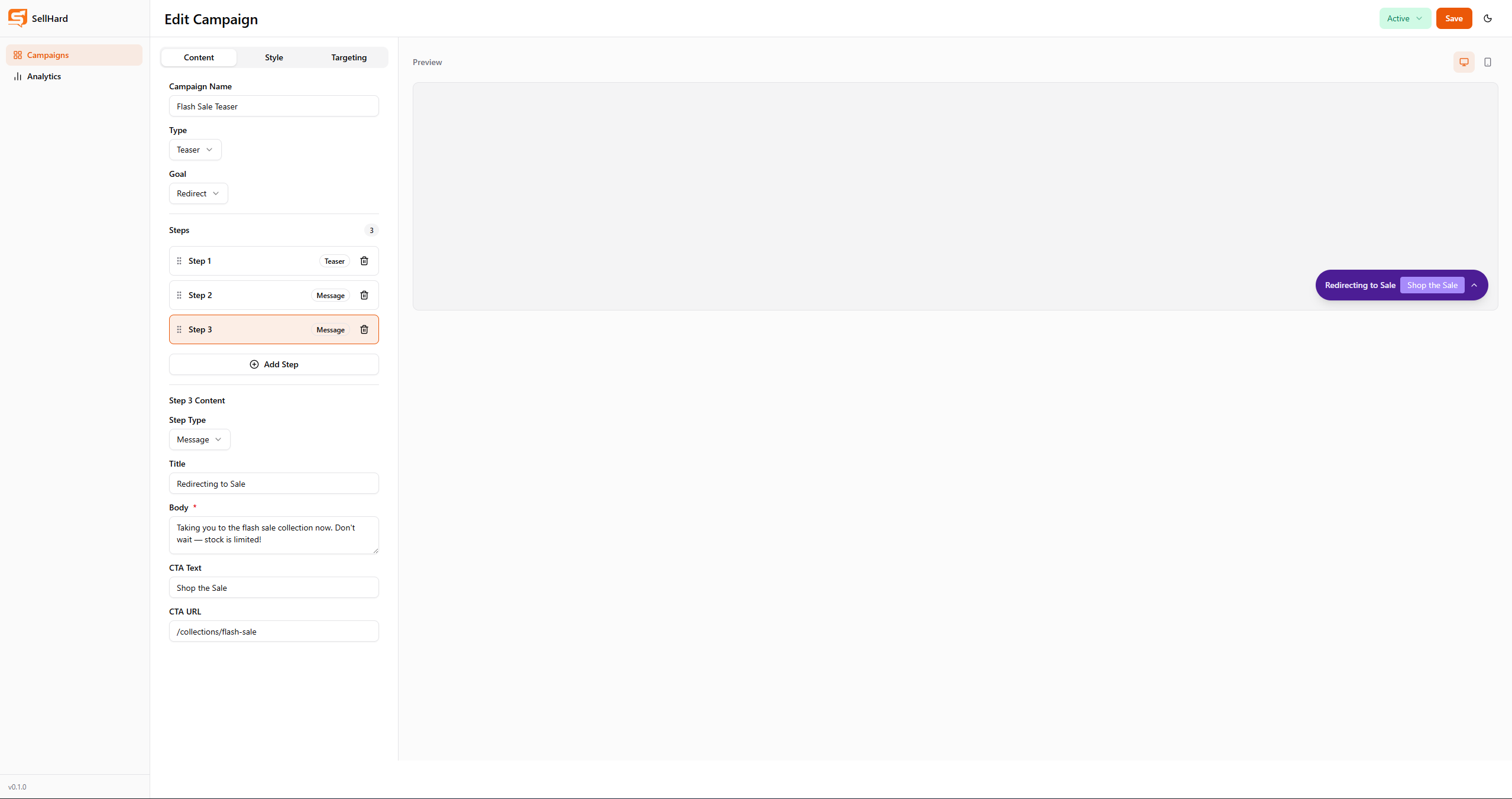
Step types carry different content fields: teaser steps have only title and CTA, form steps add an email label, and message steps support body text, CTA URL, and coupon codes. The views and proceeds fields live at the step level — not inside content — to cleanly separate analytics data from display content.
Campaign Builder
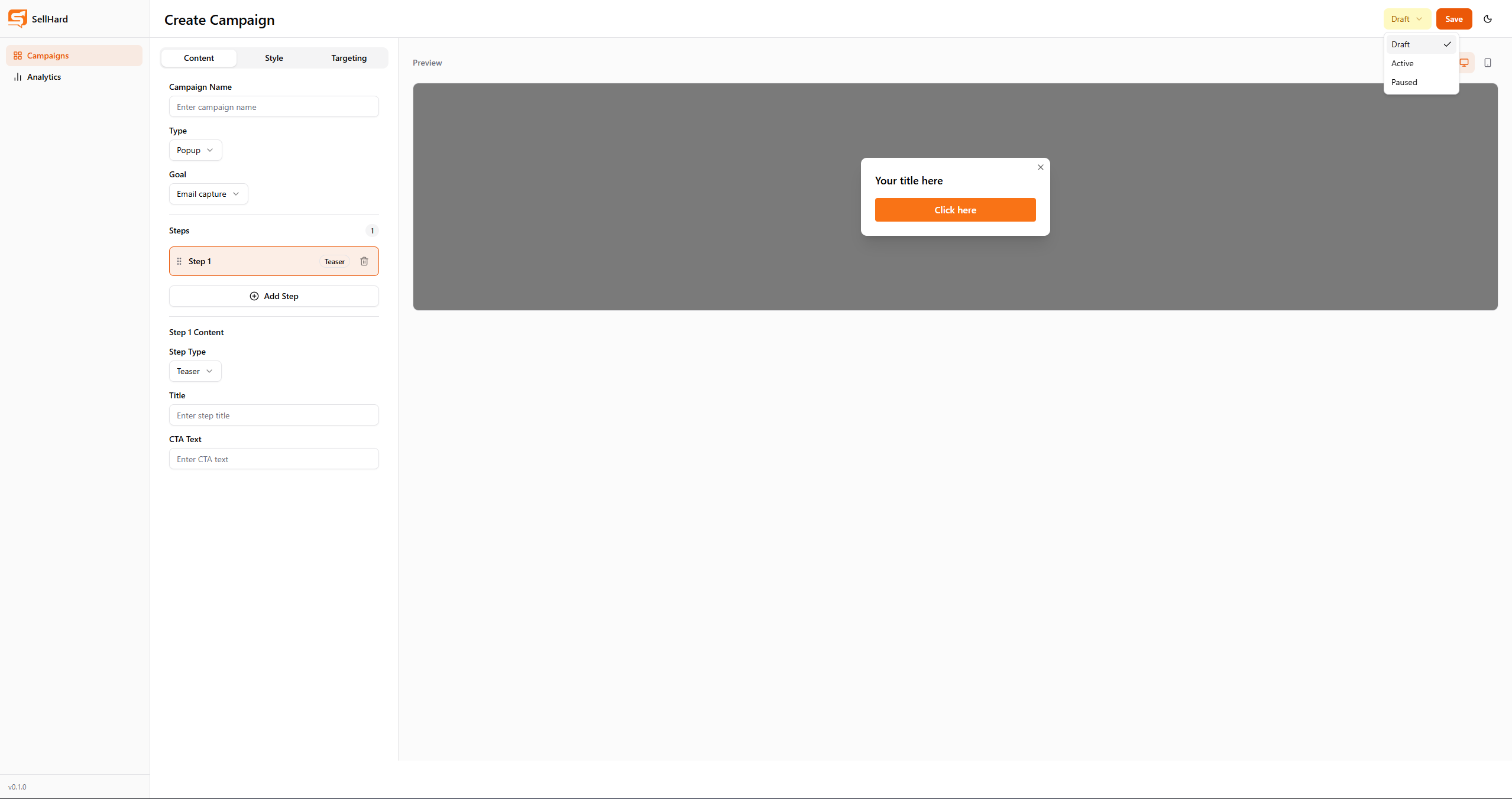
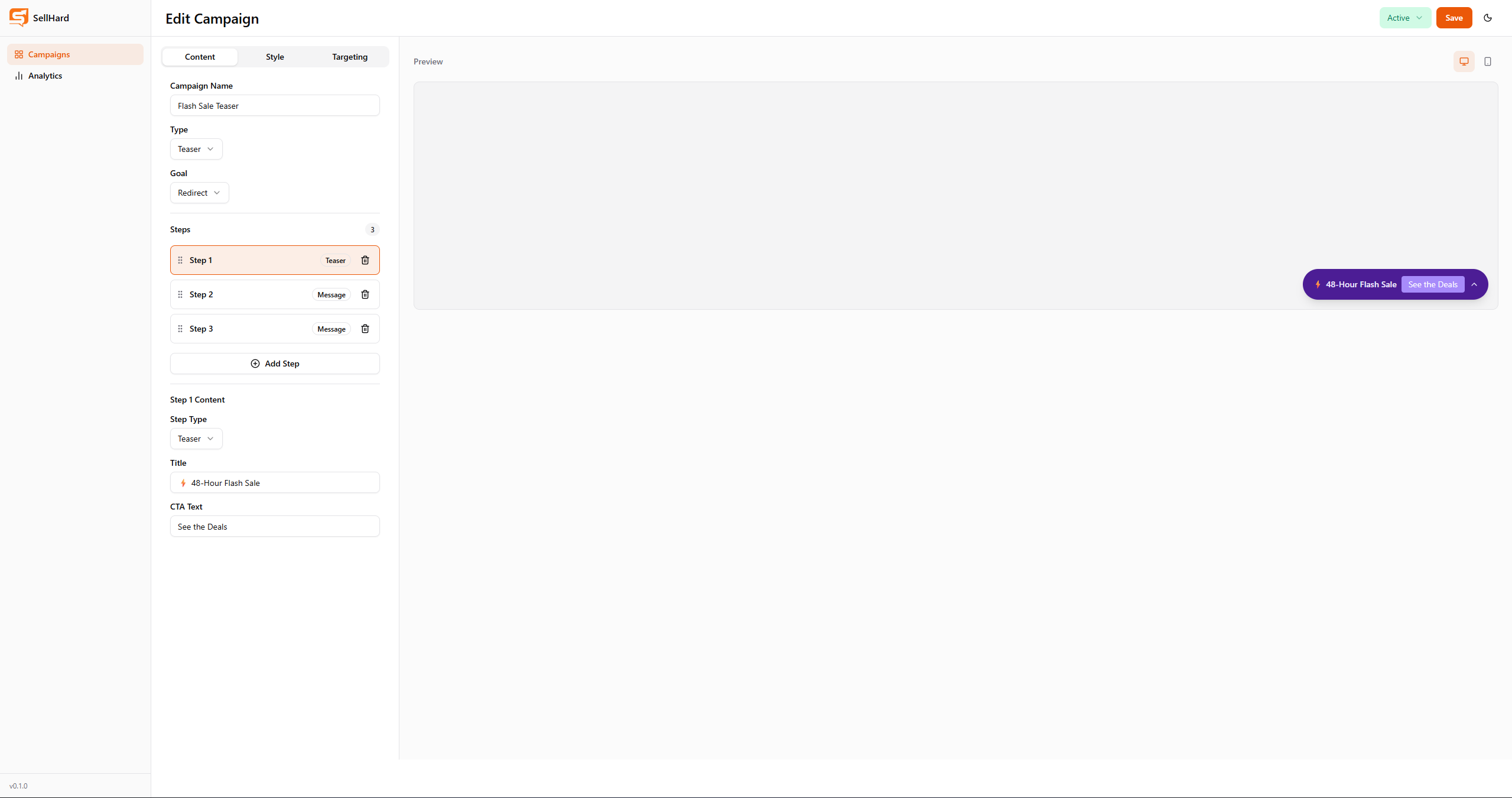
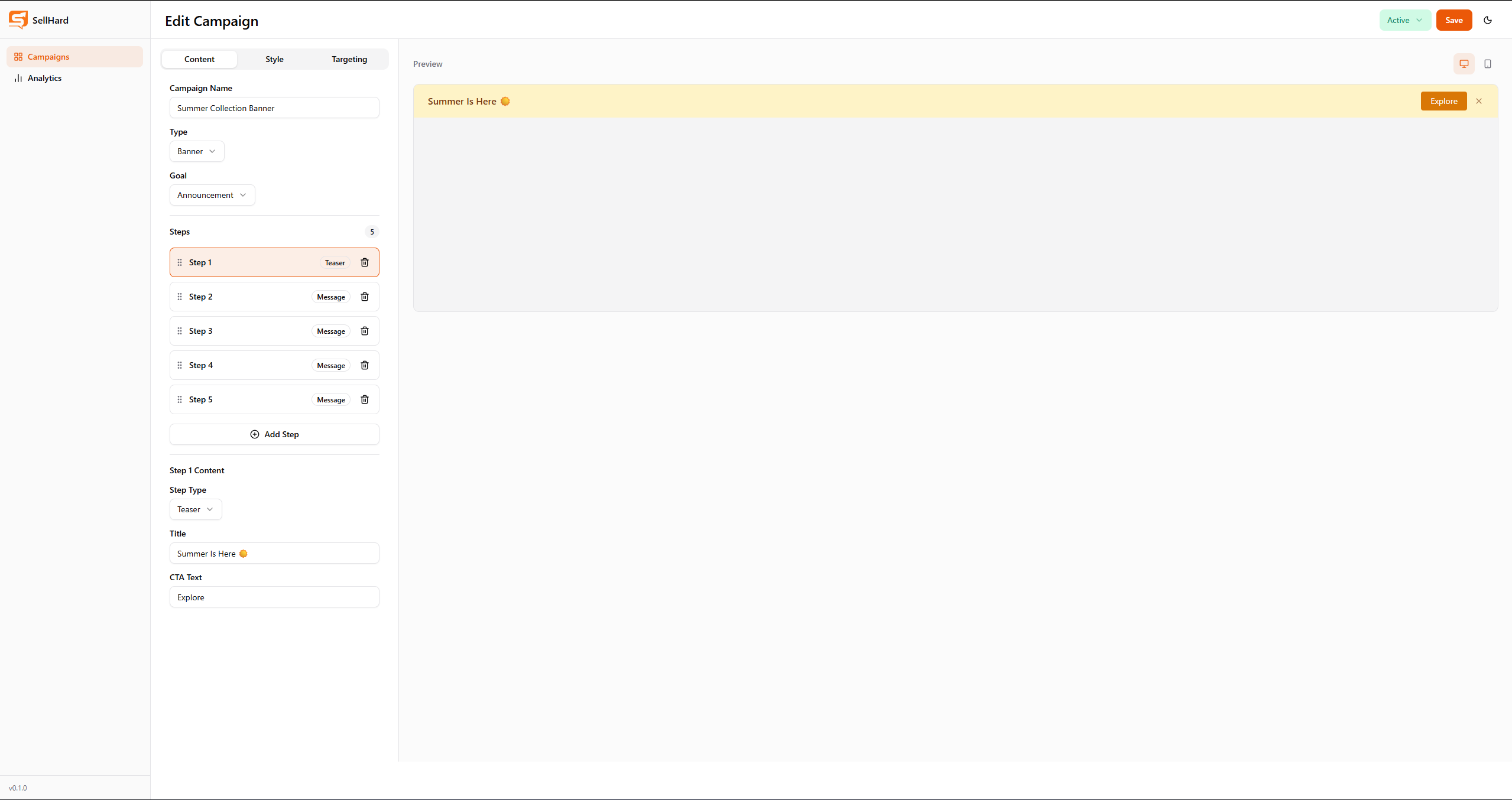
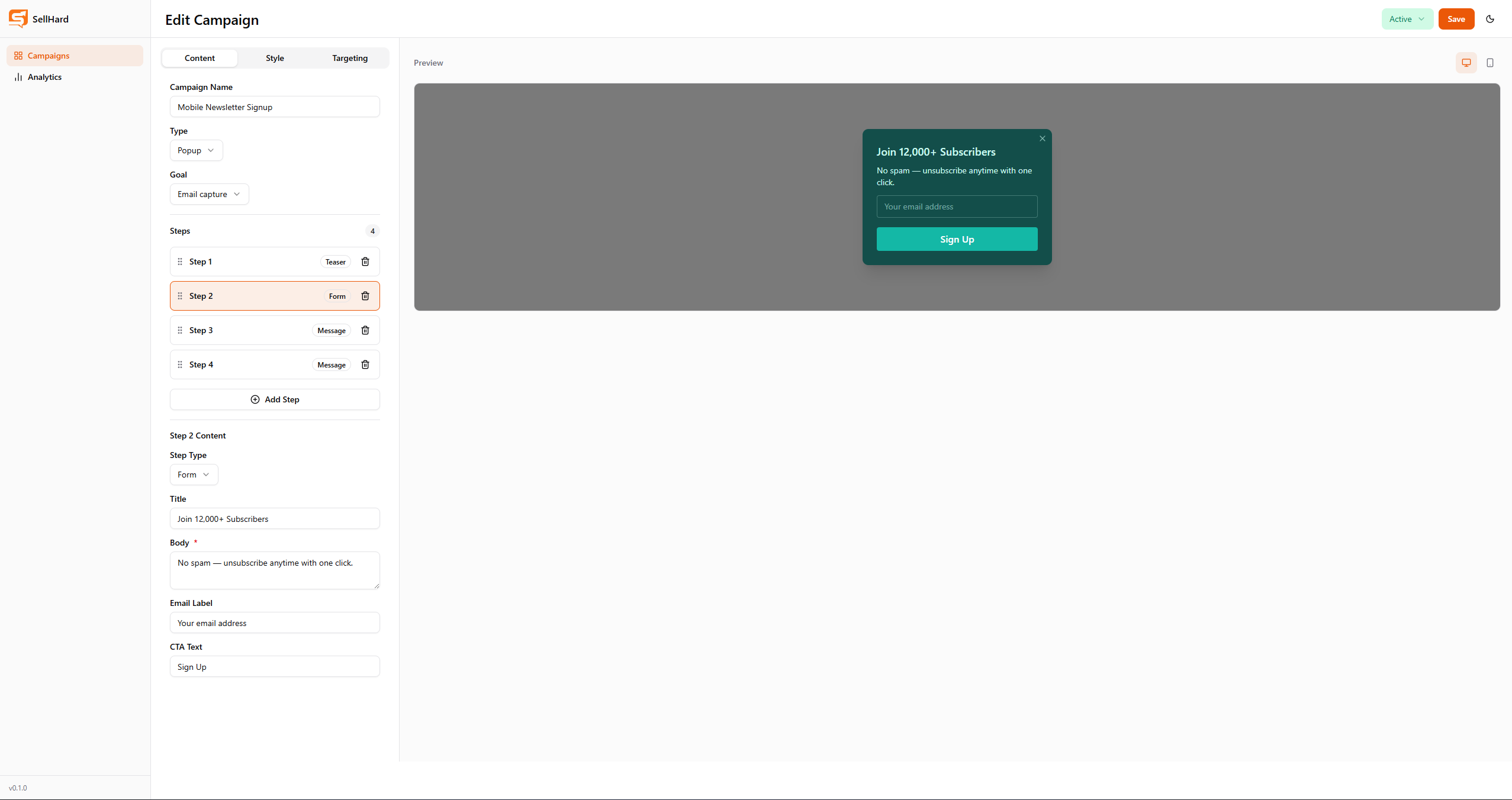
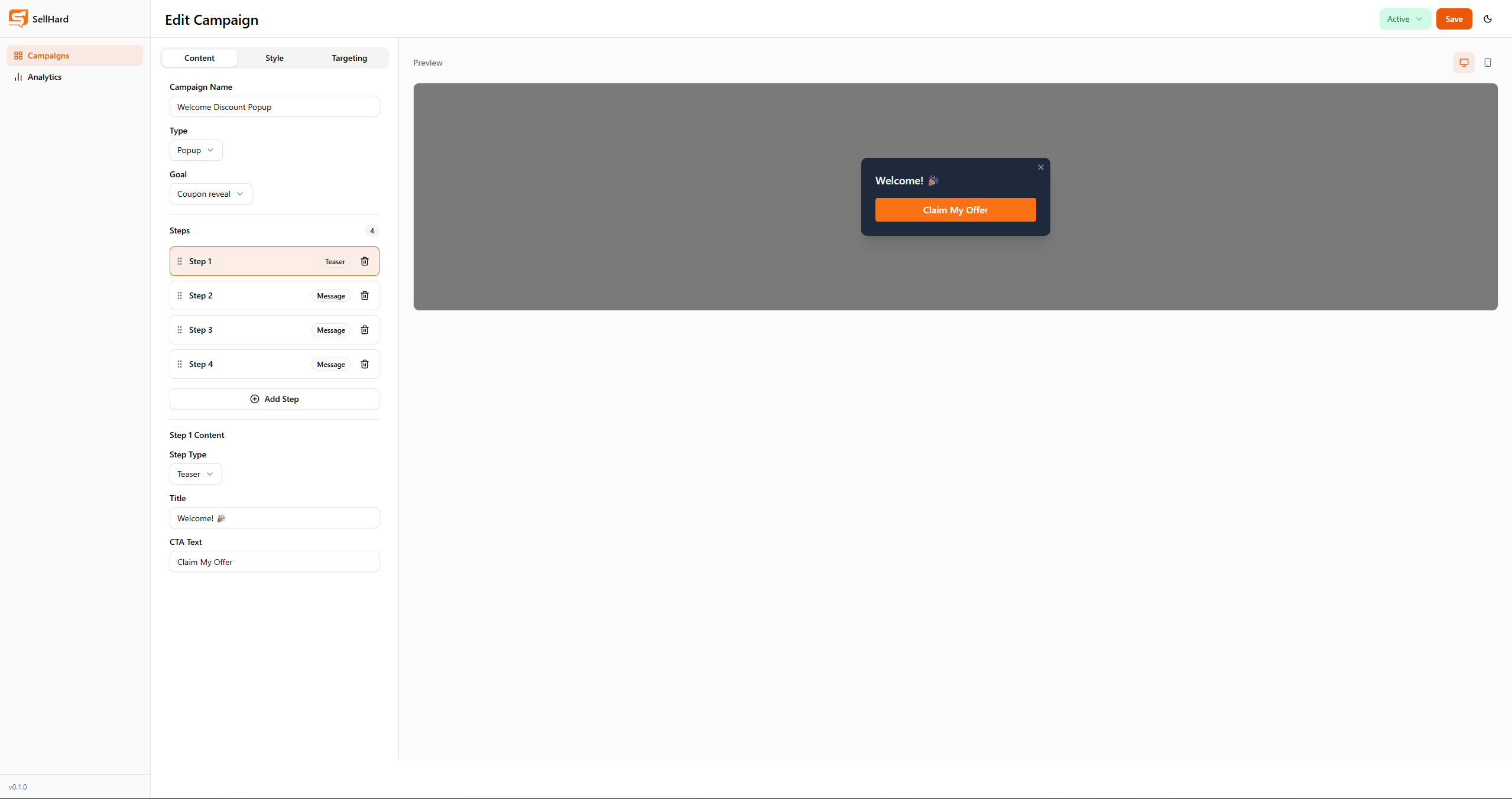
The builder is a split-panel view with a tabbed form on the left and a live preview on the right. As the user types, the preview updates in real time using reactive Vue bindings — no debounce, no API call.
The left panel has three tabs: Content (campaign name, type, goal, and step editor), Style (color pickers for background, text, and CTA button), and Targeting (URL targeting, device selection, trigger type, and trigger value). Steps can be reordered via drag-and-drop using vuedraggable, and each step has its own form component rendered based on its type.
Color picking uses @ckpack/vue-color with a Chrome-style picker inside a shadcn Popover. Inline style bindings apply the chosen colors to the preview — an intentional exception to the Tailwind-only rule since dynamic colors cannot be expressed as static utility classes.
The preview panel supports a desktop/mobile device toggle, rendering the popup inside a simulated full-width frame or a 390px mobile frame respectively. Three distinct preview components handle each campaign type:
- PreviewPopup — centered modal with overlay
- PreviewTeaser — bottom-right pill widget
- PreviewBanner — top full-width bar
The same CampaignBuilderView handles both create and edit modes, determined by the presence of an :id route param. In edit mode, onMounted fetches the existing campaign and populates the form via initForm() in the useCampaignBuilder composable.
State Management
The useCampaignBuilder composable owns all builder state: a writable CampaignBuilderForm ref, errors, isSaving, activeStepIndex, and all mutation methods. Separating this into a composable rather than a Pinia store keeps the builder self-contained and testable, while useCampaignStore (Pinia) handles the shared campaigns list used across the list view, analytics, and card CVR badges.
export function useCampaignBuilder(campaignId?: string) {
  const form = ref<CampaignBuilderForm>(createDefaultForm())
  const errors = ref<Record<string, string>>({})
  const isSaving = ref(false)
  const activeStepIndex = ref(0)
  const isEditMode = computed(() => !!campaignId)

  // addStep, removeStep, updateStepOrder, validateForm, saveForm, initForm
}
Real-time validation fires on every form change via a deep watcher, populating errors with keyed messages (name, step.0.title, targeting.urls) that bind directly to field components.
Analytics and Funnel Visualization
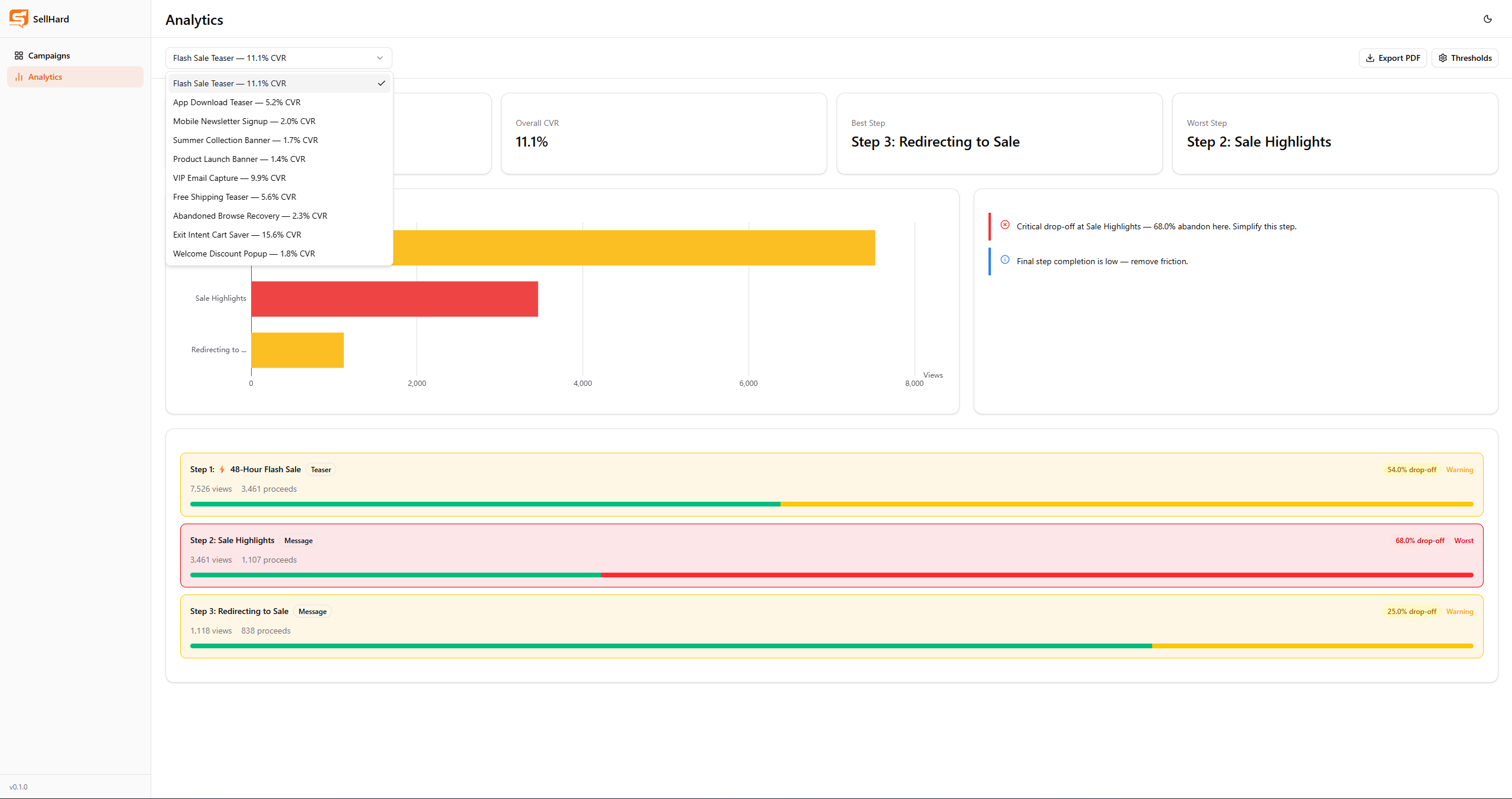
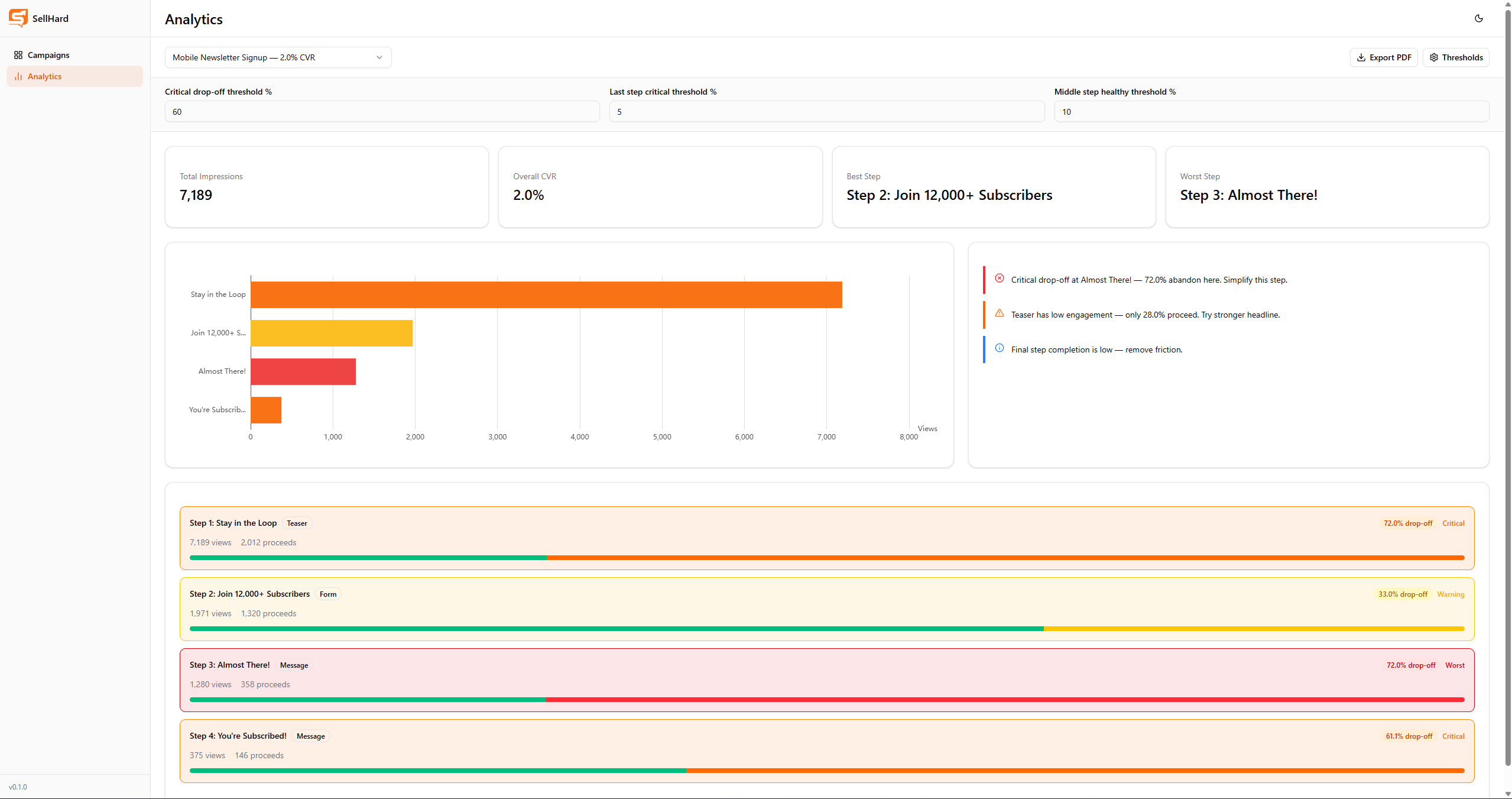
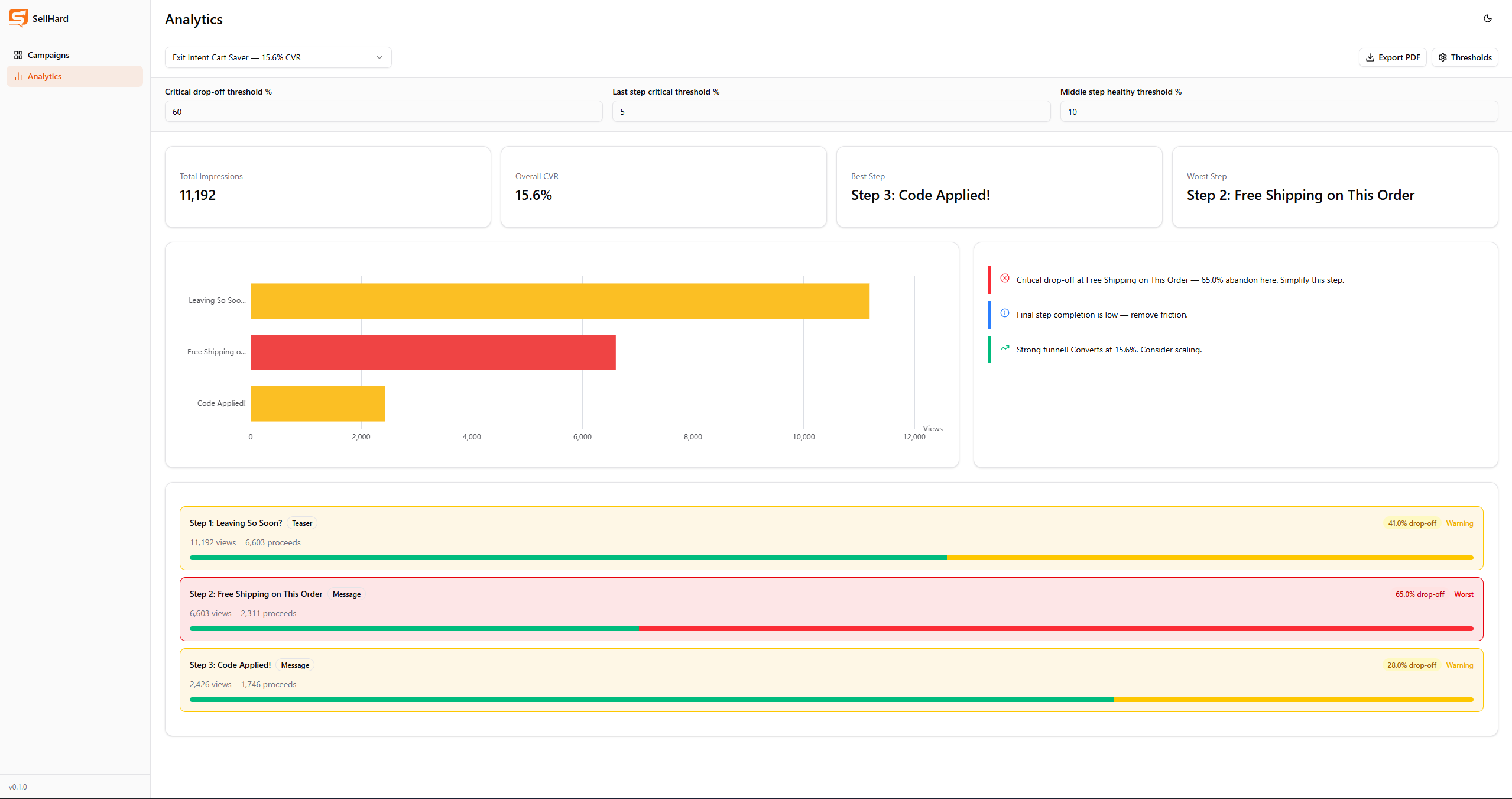
The analytics view is read-only and separate from campaign management. A campaign selector populates the view with step-level funnel data computed entirely on the frontend from the campaign’s existing views and proceeds fields — no additional API calls.
The core computation runs in computeFunnelMetrics(), a pure function exported from the analytics store:
export function computeFunnelMetrics(
  campaign: ICampaign,
  thresholds: ThresholdSettings,
): CampaignFunnelMetrics {
  // For each step: conversionRate, dropOffRate, dropOffAbsolute
  // Middle steps: healthy if dropOff < middleStepThreshold
  // Last step: healthy if dropOff < lastStepThreshold
  // Both: warning if below criticalThreshold, critical if above
  // worstStep: highest dropOffRate among steps exceeding threshold
}
Severity levels are determined by configurable thresholds:
| Level | Condition | Color |
|---|---|---|
| Healthy | dropOff < middleStepThreshold (10%) | Emerald |
| Warning | >= threshold && < criticalThreshold (60%) | Yellow |
| Critical | >= criticalThreshold, not worst | Orange |
| Worst Step | highest qualifying dropOff | Red |
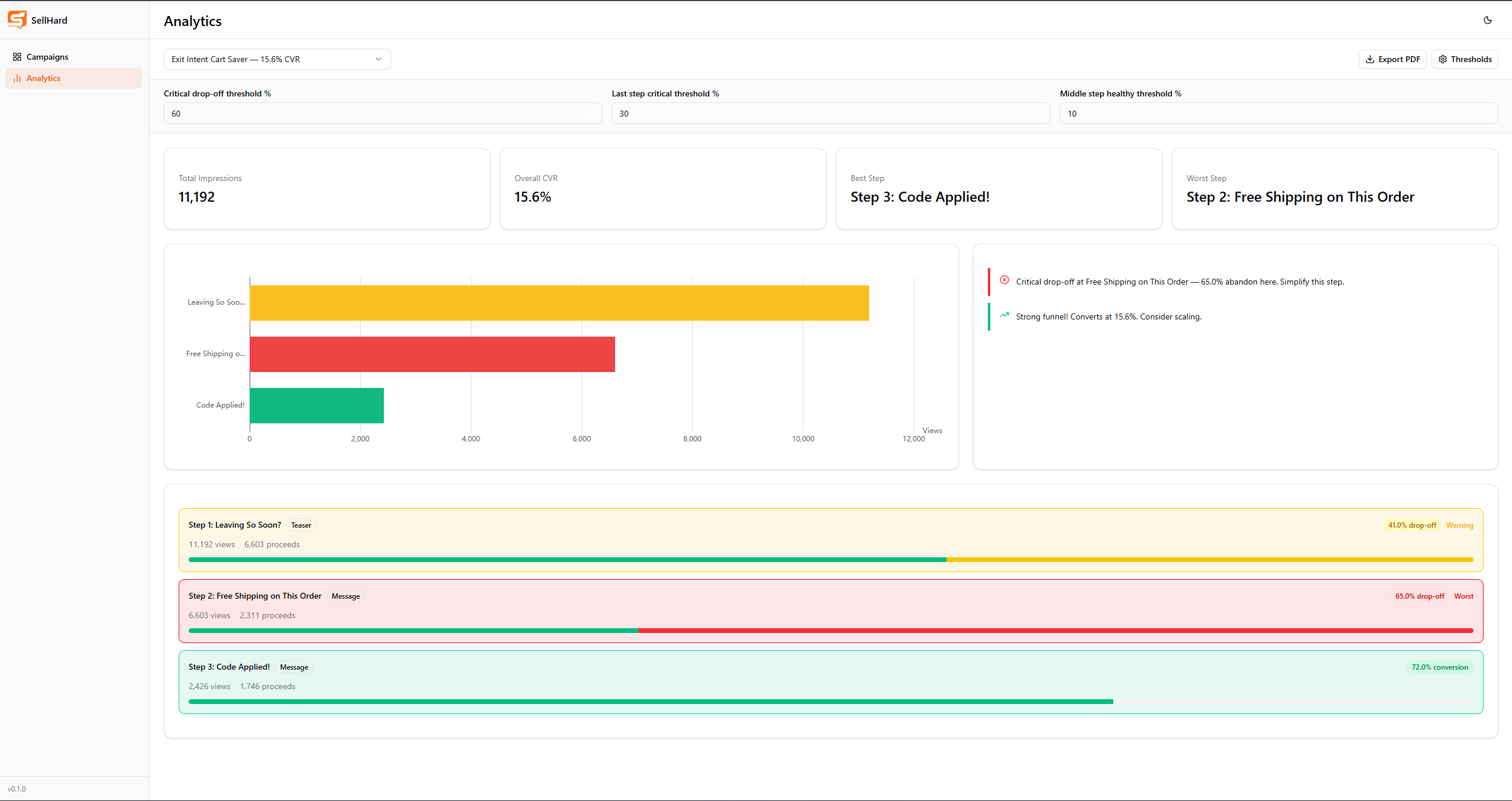
The last step uses a separate lastStepThreshold (default 5%) as its healthy boundary — even a small drop-off at the final step is significant. The criticalThreshold applies equally to all steps.
All four threshold values are adjustable in the analytics view via a collapsible settings panel. Changing any threshold immediately re-runs computeFunnelMetrics via a Pinia computed property, updating the chart, step breakdown, and insights in real time.
The ECharts horizontal bar chart colors each bar by its computed severity. The step breakdown below shows each step as a card with a two-segment progress bar (green proceeds + colored drop-off), severity label, and contextual highlighting — worst step rows have a red border and background, critical rows have orange, warning rows have yellow, and healthy rows have green.
Rule-Based Insights
The insights panel generates up to three recommendations in priority order:
- Critical drop-off — worst step exceeds
criticalThreshold→ “Simplify this step” - Low teaser engagement — first step drop-off exceeds 60% → “Try stronger headline”
- Email form friction — form step drop-off exceeds 50% → “Reduce fields or add social proof”
- Last step friction — last step drop-off exceeds
lastStepThreshold→ “Remove friction” - Strong performance — overall CVR exceeds 15% → positive feedback
- Low overall CVR — overall CVR below 5% → “Review targeting and offer”
If no negative insights match, a positive fallback message is shown. The same insight logic is replicated in the PDF export.
PDF Export
PDF reports are generated programmatically with jsPDF — no screenshot or DOM capture. This avoids the oklch color parsing failures that html2canvas and dom-to-image-more both encountered with Tailwind v4’s CSS variables.
The report includes campaign overview stats, a step-by-step table with severity-colored status labels, and the same insights. Text is colored inline using pdf.setTextColor() per severity level. Long step names are truncated to 30 characters to prevent overflow. Page breaks are inserted when y approaches the bottom margin.
Search and Filtering
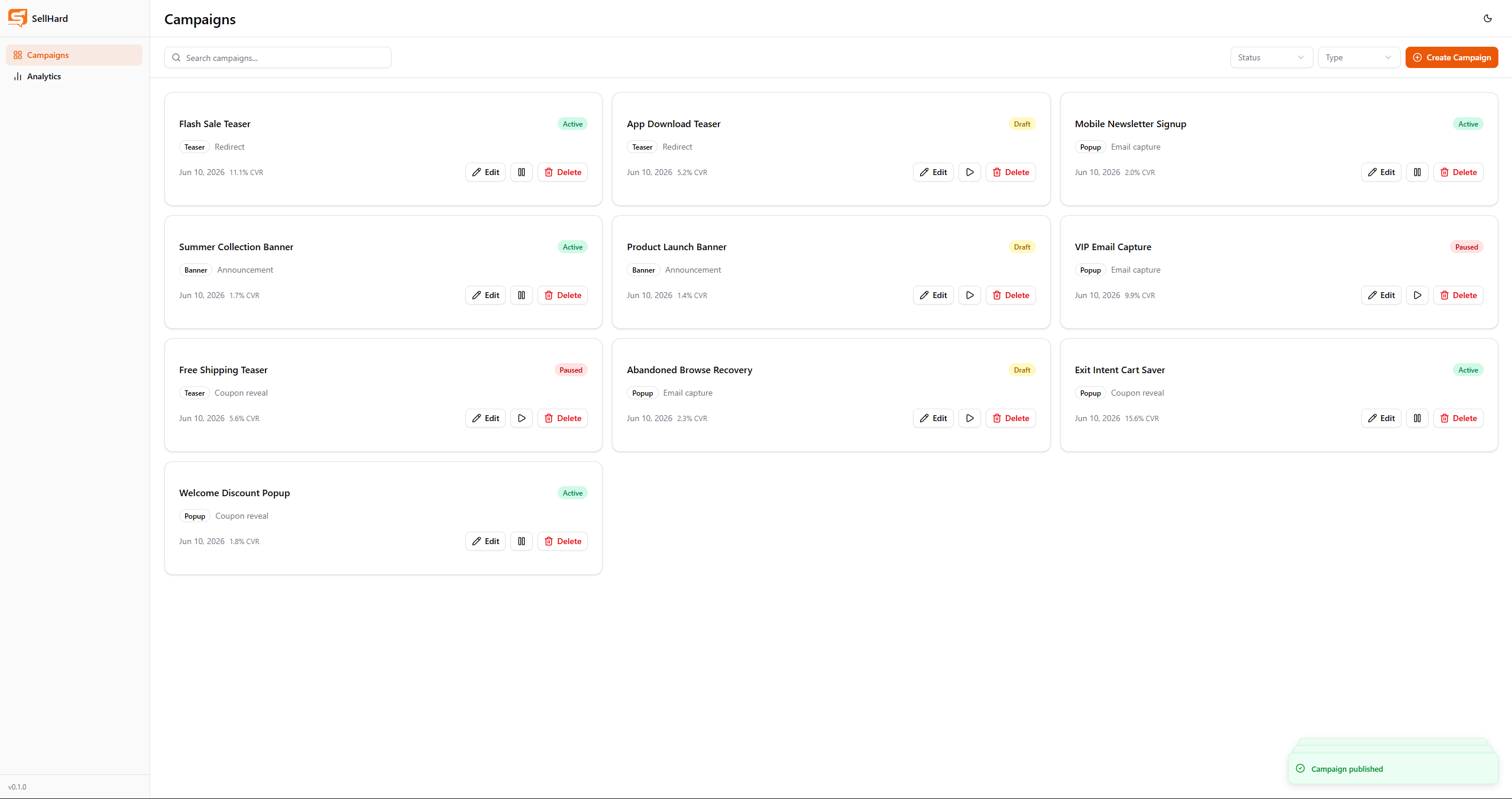
The campaign list supports server-side search and filtering. The Express getCampaigns controller accepts search, status, and type query params, building a dynamic Mongoose filter:
if (search?.trim()) filter.name = { $regex: search.trim(), $options: 'i' }
if (isCampaignStatus(status)) filter.status = status
if (isCampaignType(type)) filter.type = type
On the frontend, a 300ms debounced watcher on the search input triggers fetchCampaigns with the current filter state. Status and type selects trigger immediately. A isClearing guard prevents a double-fetch when all filters are reset simultaneously.
Key Technical Decisions
MongoDB document model over relational — steps embedded in campaigns rather than a separate collection. This avoids joins, keeps related data together, and works naturally with the builder’s form state where steps are always edited in context.
Composable over store for builder state — useCampaignBuilder is a plain composable rather than a Pinia store because builder state is local to one view. Pinia is reserved for shared state: the campaigns list and analytics thresholds.
Pure function for analytics computation — computeFunnelMetrics takes campaign and thresholds as arguments and returns a fully computed result, making it easy to re-run reactively and straightforward to reason about. No side effects, no store mutations inside the function.
Programmatic PDF over screenshot — jsPDF gives consistent output independent of browser rendering, CSS variable support, or DOM layout. The tradeoff is that the chart is not included in the export — a worthwhile tradeoff for reliability.
Development Workflow
The project was built with an AI-assisted phase-by-phase workflow: each feature was planned in Claude, broken into implementation phases, and executed in Cursor Agent mode. Development stopped after each phase for review before proceeding.
To maintain consistency across the decoupled monorepo, six Cursor rule files capture stack-specific conventions — two always-active rules for project architecture and TypeScript standards, and four glob-scoped rules for Vue, Node.js, Mongoose, and theming. The agent automatically applies the relevant rules depending on which file it is editing.